
Golden Ratio in Photography 2026: Understand, Don't Just Check the Box

What Phi, Fibonacci and the golden spiral really mean — how to use the golden ratio in portraits, landscapes and architecture, why the rule of thirds is only an approximation, and which exercises train your compositional eye.

Golden ratio in photography — composition at a spiral staircase
Martin Kleinheinz
Author
Martin Kleinheinz
Photographer · Hannover
Updated
June 21, 2026

You know the rule of thirds. You've turned on the grid in your camera. And still some images feel balanced, others don't — even though the subject sits "on the intersection". The reason: the rule of thirds is a simplification. Behind it lies something more precise: the golden ratio.

The golden ratio is not an esoteric magic formula and not a guarantee of masterpieces. It is a mathematical ratio — Phi (φ) ≈ 1.618 — that has appeared in art and architecture since antiquity and that our eye tends to find particularly harmonious. In photography it helps you place subjects consciously, plan visual flow and balance image space.

In this guide I explain step by step what the golden ratio is, how it differs from the rule of thirds, when the golden spiral makes sense — and above all: how you use it in practice, from a portrait shoot in Hannover to a landscape at Lake Como. Related: Take Better Photos, Photoshoot Ideas and Exposure Correction.


00
Quick

The golden ratio at a glance

Before we dive into the maths: the essence — what you can take away immediately.

The number
Phi (φ) ≈ 1.618. Divide a line so that the ratio of whole to larger part = larger to smaller part — that's the golden ratio.
In the image
Horizon at roughly 38.2% or 61.8% instead of exactly at one third. Subjects on golden intersections instead of rule-of-thirds intersections.
The spiral
From Fibonacci rectangles comes a logarithmic spiral — ideal for leading the eye from the corner into the image.
Most important rule
Understand, then apply, then break on purpose. No grid replaces your eye.
FeatureRule of thirdsGolden ratio
Horizon position33.3% / 66.7%38.2% / 61.8%
Intersection distance to centre33.3%38.2%
Mathematical basisSimple division by 3Irrational number φ
Practical useVery simple, in every cameraMore precise, less common
Difference in daily workBarely visible on wide angleNoticeable in precise architectural composition

Rule of thirds vs. golden ratio — the key differences at a glance

01
Basics

What is the golden ratio?

Imagine a line you split in two. The golden ratio applies when the ratio of the whole line to the longer segment equals the ratio of the longer to the shorter segment. Mathematically: a/b = (a+b)/a = φ ≈ 1.6180339887…

Applied to a rectangle — your image sensor, for example: when width and height stand in a 1:1.618 ratio, you have a golden rectangle. Split that rectangle repeatedly by the same principle and you get smaller golden rectangles — and from them the golden spiral.

Fibonacci and the link to Phi

The Fibonacci sequence (1, 1, 2, 3, 5, 8, 13, 21, 34, 55 …) is the most famous connection to the golden ratio. Each number is the sum of the two before it. And: divide a Fibonacci number by its predecessor and the result approaches Phi — 8/5 = 1.6, 13/8 = 1.625, 21/13 ≈ 1.615.

In nature you find Fibonacci spirals in sunflowers, pine cones and shells. That explains why many people find spirals and golden proportions "natural" and pleasant — not because it's magic, but because our visual system is familiar with these patterns.

From antiquity to photography

Euclid described the ratio around 300 BC. Renaissance artists Leonardo da Vinci and Albrecht Dürer used golden proportions consciously — Dürer's "Melencolia I" is a classic example of geometric construction in composition. In photography masters like Henri Cartier-Bresson relied on geometric composition — his concept of the "decisive moment" assumes you see the geometry in the viewfinder before you press the shutter.

Photography is the simultaneous recognition of an event and the precise organisation of the forms that give that event expression.

Henri Cartier-Bresson
02
Comparison

Golden ratio vs. rule of thirds

The rule of thirds divides the image into nine equal fields — intersections at 33.3% and 66.7%. The golden ratio places lines at 38.2% and 61.8%. The difference sounds tiny. Is it?

On a 36-megapixel image (6000 × 4000 pixels) the golden intersection sits roughly 290 pixels closer to the image centre than the rule-of-thirds intersection. On a phone screen that's barely visible. Enlarge the image or print large format and the difference becomes noticeable — especially in architecture and precise line work.

When the rule of thirds is enough

  • Quick everyday shots, street, events — when you don't have time for millimetre planning
  • Smartphone photography with limited grid options
  • As a starting point: the rule of thirds gets you 90% of the way, especially if you used to centre everything
  • Dynamic situations like event photography — here the moment matters more than exact proportion

When the golden ratio makes the difference

  • Architecture and interiors with clear lines and axes of symmetry
  • Landscapes with a dominant horizon — 38.2% often feels more balanced than 33.3%
  • Editorial and portrait work when you consciously need space for text or negative area
  • Images you print large or show as portfolio prints
03
Spiral

Understanding the golden spiral

The golden spiral (also Fibonacci spiral) forms when you draw a quarter circle in a golden rectangle and repeat the process in ever smaller golden rectangles. The resulting curve leads the eye gently from the image corner toward the centre — or the other way round, depending on orientation.

Spiral staircase as an example of spiral visual flow in photography
Spiral forms — stairs, shells, clouds — naturally invite use of the golden spiral.

The four orientations

The spiral can point to any corner. What matters: where does the spiral start, and where does it lead? The subject with the highest visual weight sits in the tightest winding centre — the spiral's "focal point". The spiral itself is echoed by lines, curves or light gradients in the image.

Spiral top left
Classic for landscapes: sky as large arc, horizon as spiral tail, tree or mountain in the centre.
Spiral bottom right
Common in portraits: face in the centre, body line follows the spiral exit.
Spiral top right
Street photography: building edge as spiral, passer-by in the focal point.
Spiral bottom left
Architecture: stairwell, corridor, bridges — anything that physically spirals.
04
Practice

Subject placement in practice

Theory is nice. Here's how I use the golden ratio in my workflow — from capture to crop.

Horizon and image division

In landscapes I rarely split the frame 50/50. Instead: 38.2% sky and 61.8% land — or the reverse, depending on what's more interesting. With dramatic clouds I take more sky, with reflective lakes more foreground. The golden line is my starting point, not my dogma.

Golden intersections

The four intersections of the golden grid are the "power points" — there I place the most important element: an eye in a portrait, the peak in a mountain landscape, the single lit window in a night shot. Important: one intersection is enough. Two strong subjects on two points compete with each other.

Lines and visual flow

The golden ratio works not only point by point. Diagonals from a corner to the opposite golden intersection create dynamism. S-curves — rivers, paths, body postures — can be arranged along the golden spiral. And: people's gaze directions should lead into the image space, not out of it.

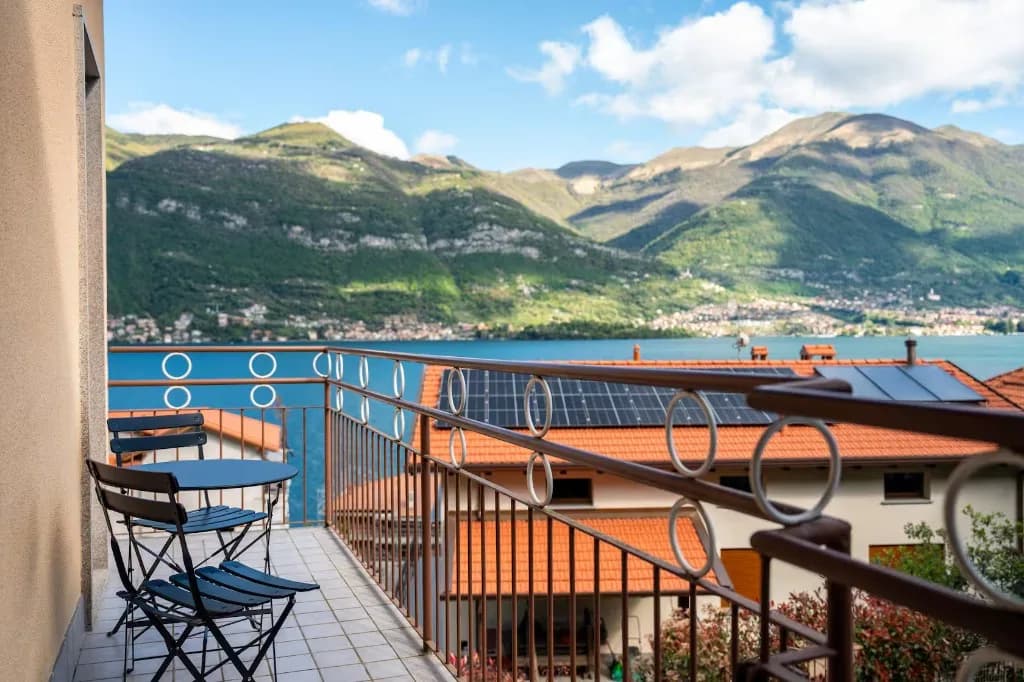
Lake landscape with balanced horizon placement using golden proportions
Landscape at Lake Como: horizon and terrace follow golden proportions — more foreground, less sky.

Crop in post-production

Not every image is perfect at shutter release. In Lightroom and Photoshop you can fine-tune with the golden crop overlay. My workflow: exposure and colour first (see Exposure Correction), then crop. A conscious crop is not failure — Cartier-Bresson cropped in the darkroom, not only composed in the viewfinder.

05
Genre

Golden ratio by genre

Portrait

For headshots I place the face — more precisely the eye on the side of the light source — on a golden intersection. The body follows the vertical golden line. In group photos: the most important person on the intersection, the others staggered along the golden line. More inspiration: Photoshoot Ideas.

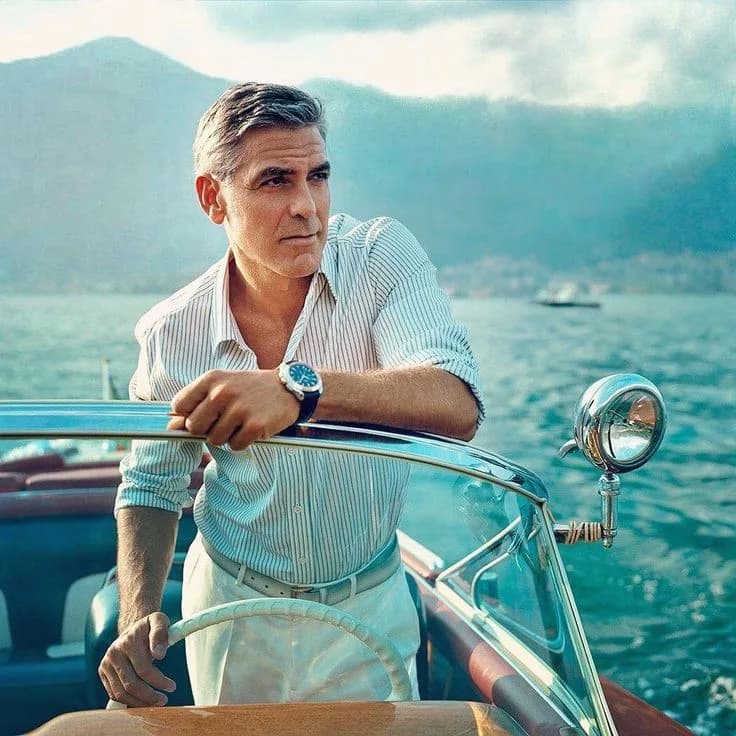
Editorial portrait with deliberate composition at the lake
Editorial portrait: face and body line follow golden proportions — space in front of the gaze.

Landscape

Horizon at 38.2% or 61.8%. Foreground element — stone, flower, jetty — on the opposite intersection. In panoramas: several golden intersections for layering near, middle and far. On photo trips I often plan spots so the sun at golden hour (different term, same magic) falls on the intersections.

Architecture

Architecture is the genre where the golden ratio works most precisely. Buildings are geometric — and your grid should be too. Symmetrical facades: centre axis on the golden vertical, entrance or window on the intersection. Stairwells and spirals: make the golden spiral visible. Interiors: furniture edge on the 38.2% line, statement piece on the intersection.

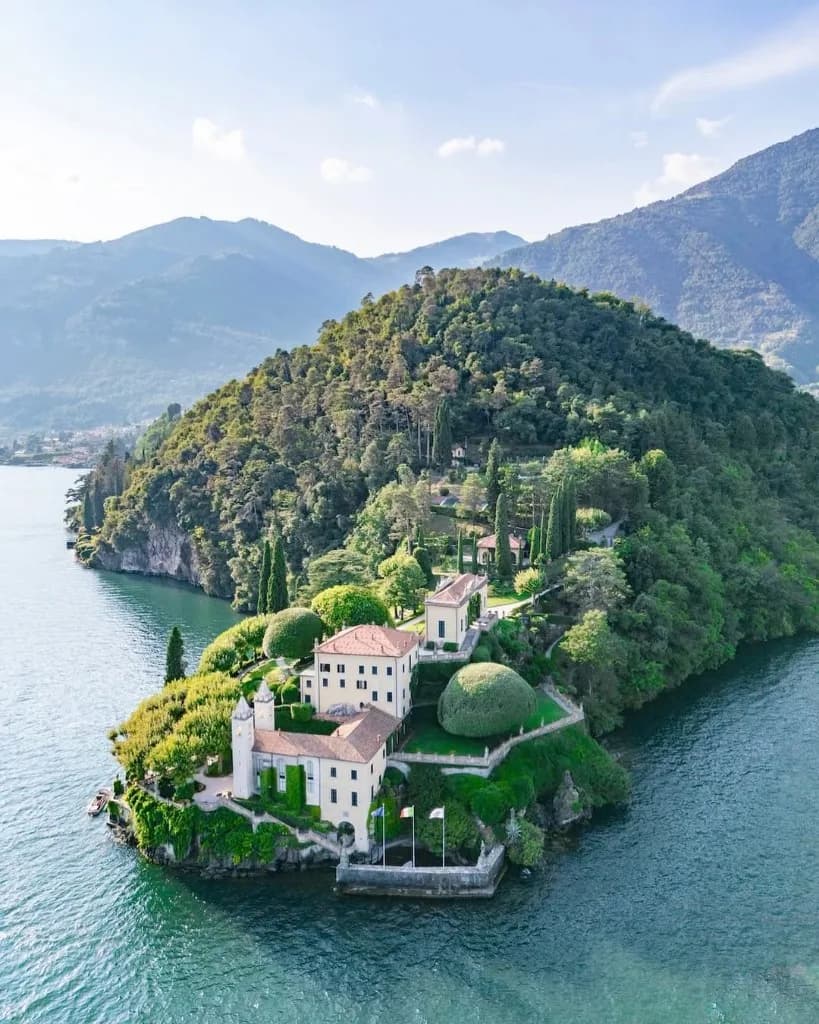
Architecture at Lake Como with geometric image composition
Architectural composition: horizon line and building structure follow the golden grid.

Street photography

Street is fast — here the rule of thirds is often the more pragmatic companion. But: when you wait (and street requires patience), position yourself so the golden intersection falls on the corner, shadow or passer-by. Use street and building lines as golden diagonals. Legal and practical details: GDPR for Photographers.

06
Tools

Grids in camera & software

The golden ratio only helps if you can see it. Here's where to enable it in your setup.

Device / softwareGolden grid?How to enable
Canon (EOS R, etc.)Rule of thirds (approximation)Menu → Shooting → Grid → 3×3
Sony (α series)Rule of thirdsMenu → Setup → Grid line → Rule of thirds
Nikon (Z series)Rule of thirdsSetup → Monitor/viewfinder display → Grid
Fujifilm XRule of thirdsMenu → Screen → Grid
iPhoneRule of thirdsSettings → Camera → Grid
Lightroom (crop)Golden ratio + spiralCrop tool → O key to cycle overlays
Photoshop (crop)Golden ratio + spiralCrop tool → overlay menu in options bar
Capture OneGolden ratioCrop tool → grid dropdown

Grid support by device — Lightroom and Photoshop offer the most precise golden overlay

Most cameras only offer the rule of thirds in the viewfinder — that's fine. The difference is minimal in daily work. For precise work: crop in Lightroom. On the go: rule of thirds in the viewfinder, fine-tuning on the computer.

07
Mistakes

The 5 most common mistakes

Following the grid blindly
Forcing the subject onto an intersection when the scene doesn't call for it. The grid is a aid, not a law.
Forcing the golden spiral
Interpreting every image as a spiral. Some compositions are symmetrical or centred — and exactly right.
Two competing subjects
Placing two equally strong elements on two intersections. The eye doesn't know where to look.
Forgetting the horizon
Only watching the intersection but leaving the horizon crooked or at 50/50. The horizontal golden line matters at least as much.
Only thinking in crop
Trying to save everything in post. Composition starts before the shutter — two steps left is better than a 30% crop.
08
Training

5 exercises for your compositional eye

Knowledge without practice fades. These five tasks I've tested in workshops — they work with any camera, even a smartphone.

Exercise 1: Thirds vs. golden
Photograph the same subject twice — once with rule-of-thirds grid, once with golden crop in Lightroom. Compare. Which image feels more balanced?
Exercise 2: Find spirals
One hour photographing only spirals and curves — stairs, driftwood, flowers, clouds. Map the golden spiral afterwards.
Exercise 3: One intersection
20 images where exactly one element sits on a golden intersection. Nothing else. Reduction trains your eye.
Exercise 4: Horizon challenge
10 landscapes with horizon exactly at 38.2%. No 50/50, no random third. Only the golden line.
Exercise 5: Masterwork analysis
Take three photos you admire (from a book, museum or online). Draw the golden grid over them. Where do the subjects really sit?

More exercises and genre ideas in Take Better Photos — there it's about the full composition toolkit, not only the golden ratio.

09
FAQ

Frequently asked questions

Is the golden ratio more important than the rule of thirds?
No — both are tools. The rule of thirds is simpler and enough for 90% of situations. The golden ratio is more precise and pays off in architecture, large prints and deliberate editorial work.
Does my camera have a golden grid?
Most cameras only show the rule of thirds in the viewfinder. For the exact golden ratio use Lightroom or Photoshop in the crop tool — there you can cycle overlays with the O key.
Do I have to use the golden ratio on every photo?
Definitely not. Centred symmetry, deliberate unrest, head crops — some of the strongest images break every rule. Understand the golden ratio so you know when and why you break it.
What's the difference between golden ratio and golden hour?
Completely different concepts. The golden ratio is a mathematical proportion for composition. Golden hour is the time shortly after sunrise and before sunset — warm, soft light. Both can appear in the same image.
Can I fix the golden ratio in crop afterwards?
Yes — in Lightroom and Photoshop with the golden crop overlay. But: heavy crop costs resolution. Better to take two steps sideways before shooting. More on technique: Exposure Correction and RAW vs. JPEG.
Transparency notice: This article contains affiliate links. If you buy through them I earn a small commission at no extra cost to you. Editorial content is unaffected.
Newsletter

Stay in the loop.

Camera and photography news, honest gear tests and new articles — in your inbox. Infrequent but relevant. No spam, unsubscribe anytime.

Keep reading

From the journal.

Fotograf, Martin Fernando Mera Kleinheinz · Franz-Bork-Straße 21, 30163 Hannover · 0179 4085297