How to Create a Profile Picture 2026: The Ultimate Guide for Non-Photographers
What works on which platform, how to make a strong profile picture with your smartphone in 20 minutes, when hiring a pro is worth it — and how to know for sure that yours actually works.
Autor
Martin Kleinheinz
Photographer · Hannover, Germany
Aktualisiert
June 2, 2026
A profile picture is the only image of you that strangers see before they learn anything else about you. It decides whether your LinkedIn profile gets opened, whether someone swipes right on Tinder, whether your application even gets read. And yet most people throw something together at the last second — a hotel-room selfie, an old vacation shot, a cropped party photo.
This guide is for you if you have zero photography knowledge and simply want to know: what actually makes a good profile picture, which image fits which platform, and how do I get one without an 800-Euro studio shoot? By the end, you'll know exactly what to do next.
01
Foundation
What a profile picture really does
Princeton psychologists Janine Willis and Alexander Todorov demonstrated in 2006 — in one of the most cited social-psychology studies of the past two decades — that people form an initial judgment about a stranger's trustworthiness, competence and likability in 100 milliseconds. And they barely revise that judgment later, even with more time. One-tenth of a second. That's how long you have to be decided on at Instagram, LinkedIn or a dating app.
Two things follow. First: a good profile picture is not a vanity luxury, it's a very concrete conversion measure. LinkedIn itself writes that profiles with professional photos get up to 21× more profile visits than those without. On dating apps the effect is even more extreme — Christian Rudder (co-founder of OKCupid) showed in his book Dataclysm that the main picture carries between 80 and 90 percent of the swipe decision.
Second: there is no single perfect profile picture for every situation. What reads as competent on LinkedIn feels stiff on Bumble. What works as warm on Instagram is too loose for an application photo. That's exactly why section 03 walks through every major platform individually — and you decide which one you actually need a picture for right now.
02
Principles
What makes a good profile picture universally
No matter which platform — six things always hold. If your image hits all six, you're in the top third of all profile pictures online. That's not exaggerated, because most people already fail at point one.
1. Recognizability
Your face must be sharp — especially the eyes. It must sit large enough in the frame to be recognizable as a thumbnail on a phone. Rule of thumb: the head fills at least the upper third to half of the image. Sunglasses, a cap, dramatic cross shadows, motion blur — anything that hides the eyes immediately costs half the impact.
2. Gaze and micro-expression
For most platforms (LinkedIn, applications, WhatsApp, Slack), direct eye contact is the gold standard. For dating and Instagram, a thoughtful sideways glance can work — if it feels authentic. The smize (Tyra Banks's term for "smiling with the eyes") is not esoteric: real smiles activate the muscles around the eyes (orbicularis oculi). Just pulling up your mouth looks forced. Briefly thinking of something funny right before the shutter clicks gives you the micro eye-wrinkles automatically.
3. Light — by far the biggest lever
If you only take one thing away from this article: face a window. Indirect daylight is the most flattering free light there is. It's soft, kind to the skin, and avoids the harsh ceiling shadows that ruin almost every indoor selfie. More on this in section 04 — but if you only do this, you're already ahead of 80 percent of LinkedIn profiles.
4. Clean background
The background should support you, not distract. A white wall, a beige tone, a blurred park, a simple wooden panel — anything beats the open kitchen chaos behind you. What never works: signs, other people, plants apparently growing out of your head, lamps right behind your skull. Sounds basic; it's the number-one issue in profile-picture audits.
5. Clothing and color palette
Wear things you feel good in and that fit the context. A well-fitting plain sweater works on 90 percent of platforms except the classic application photo (where shirt or blouse is the norm). Avoid tight stripes, fine checks and loud logos — they pull attention away from your face. Color-wise: muted tones (off-white, beige, navy, forest green, charcoal) age much better than trendy colors of the year.
6. Currency
A profile picture should be no older than two years — especially on LinkedIn and dating apps. Nothing is more awkward than the first in-person meeting where the other person realizes "you don't actually look like that." If your photo is from your wedding in 2019, it's time for a new one, however beautiful it is.
03
Platforms
Which image for which platform
Now it gets concrete. Below you'll find the major platforms with their specific requirements — format, style, expression, common mistakes. You don't have to read everything; jump to the platform you currently need a picture for.
LinkedIn and Xing — the business headshot
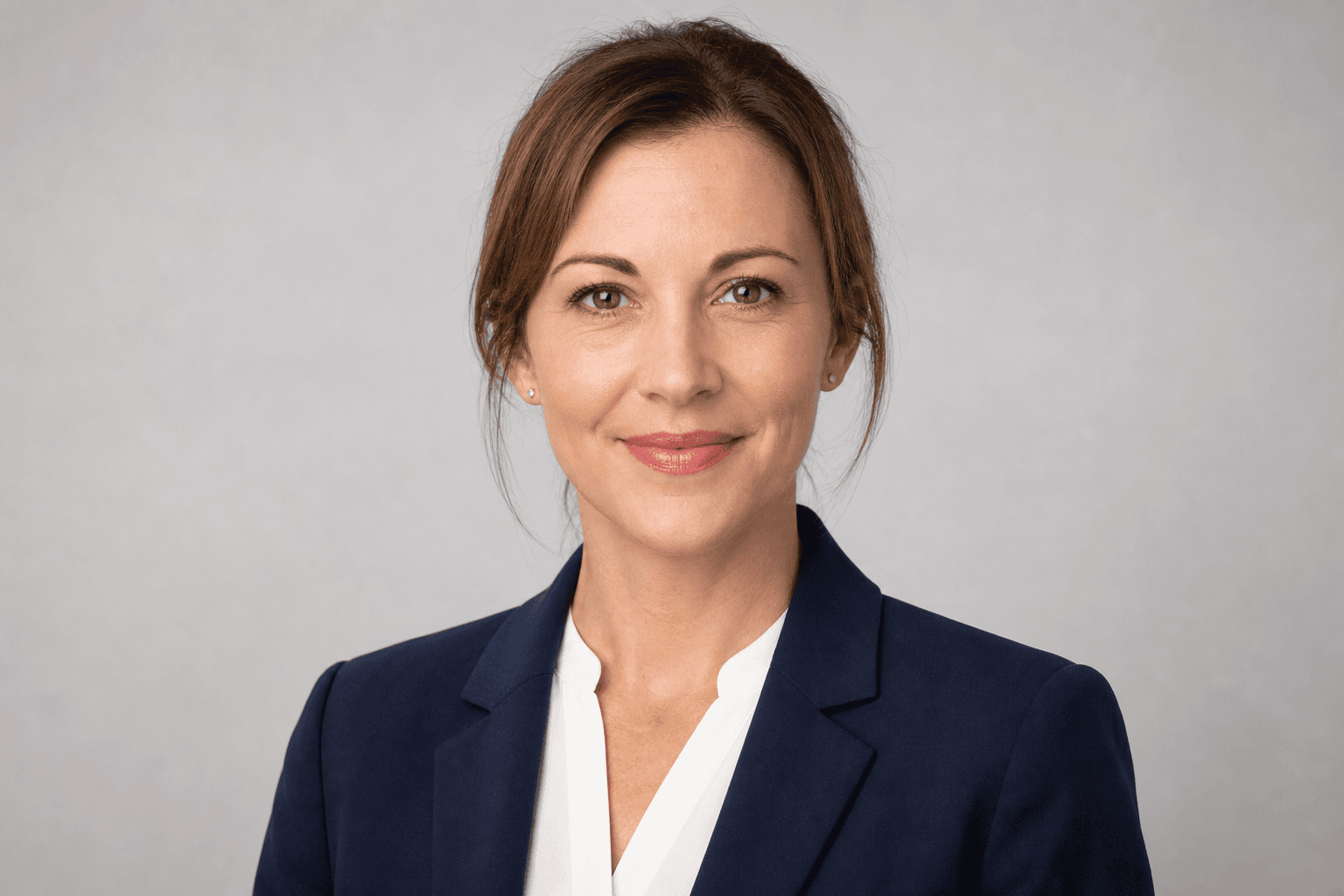
LinkedIn is the strictest of the popular platforms in terms of expectations. The photo should say: trustworthy, competent, approachable. Classic headshot, head and shoulders, neutral background (white, light grey, beige, or soft park bokeh), direct eye contact, restrained smile. Clothing: shirt, blouse, plain sweater, optional blazer. No T-shirts with slogans, no sunglasses, no vacation selfies. Square format (LinkedIn displays 400×400 pixels), face centered or slightly above center.
What a classic LinkedIn profile picture looks like: neutral backdrop, blazer or shirt, direct eye contact, restrained smile. The standard recruiters unconsciously expect.
Dating apps (Tinder, Bumble, Hinge)
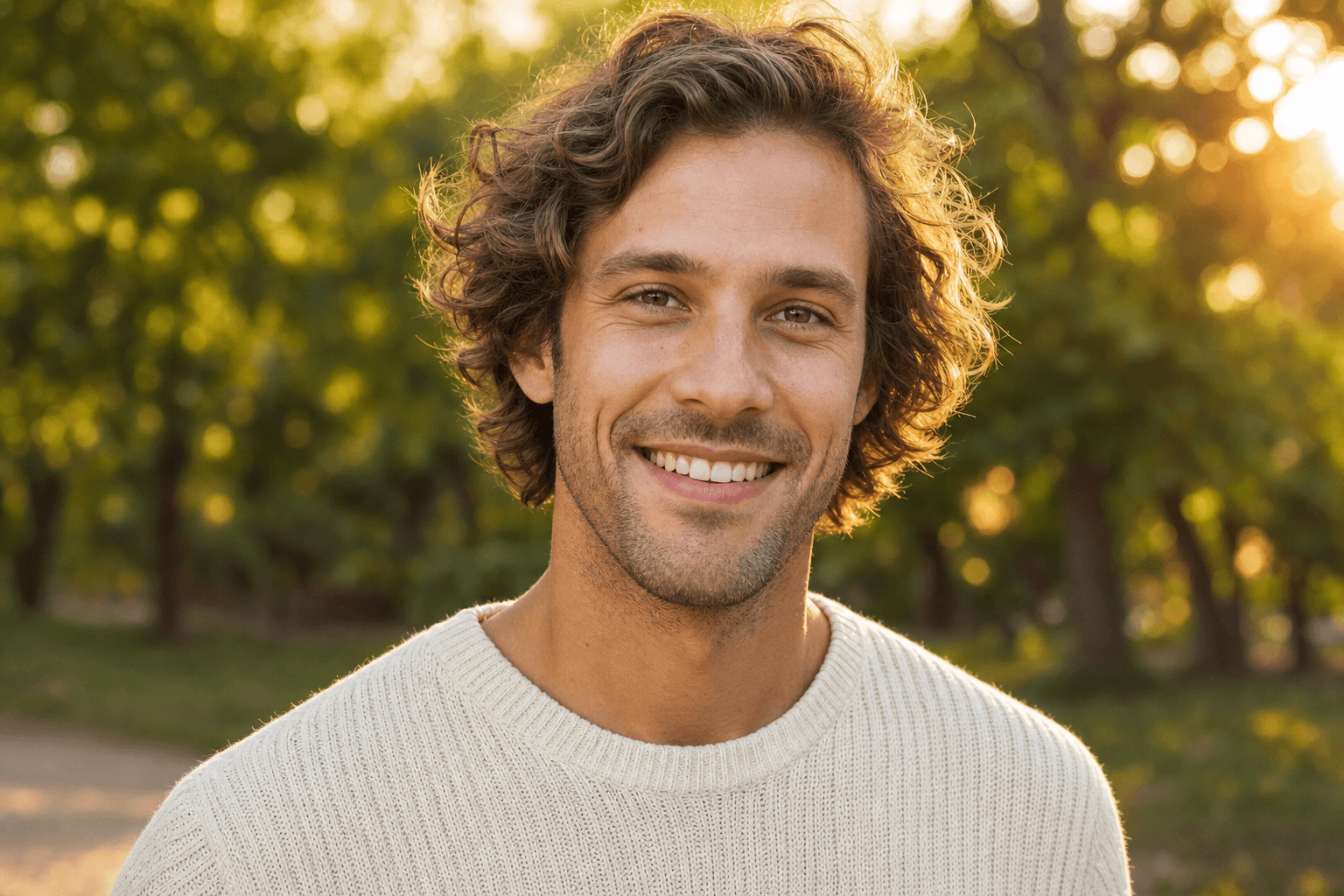
Here the main picture matters brutally — every other photo is only seen after the right-swipe. The best main picture shows you alone (no group!), outdoors or against a clean background, face clearly recognizable, with a real smile. The pros say: the main picture shows you visible, likeable and attractive, but not over-staged. Later pictures may show lifestyle (sport, travel, cooking); the main one may not. What never works: sunglasses on the main, photos with an ex cropped out, group photos, filters that smooth the face, gym mirror selfies.
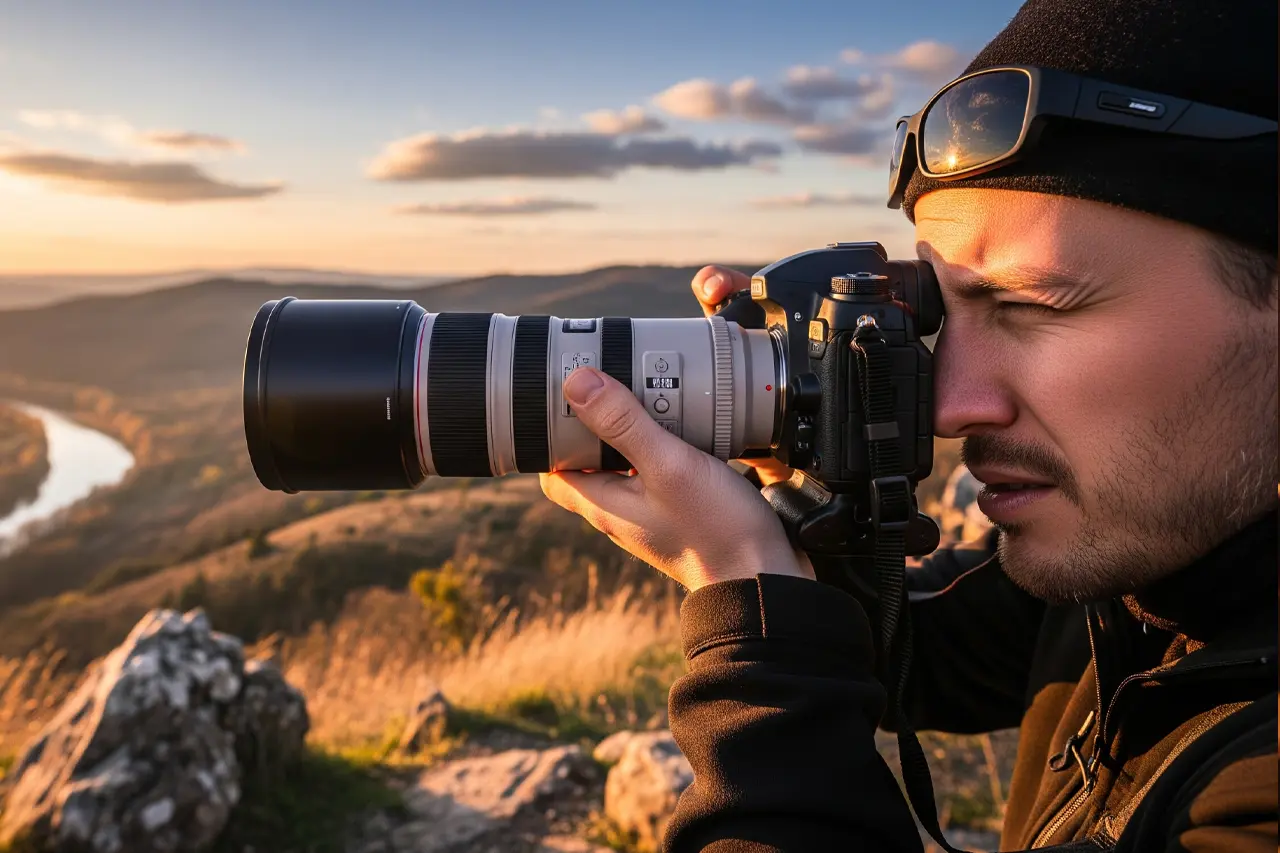
Strong as a dating-app main image: alone, outdoors, natural golden-hour light, genuine smile, soft background. What doesn't belong: sunglasses, group photo, cropped-out ex.
Instagram, TikTok and personal brand
For Instagram and TikTok the profile picture is small (a 110×110-pixel circle) and lives in the shadow of your actual content. That makes it not less important but different: it must above all be recognizable, because it shows up next to every like, comment and story crown. Options: a tightly cropped headshot with a clear palette (face large, simple background), or a memorable logo. High-contrast colors work better in the circle view than fine detail. Lifestyle brands often use a half-portrait in the recognizable style of their feed aesthetic.
Application photo for your CV
The classic application photo is one of the few profile pictures where a pro shoot is clearly recommended. Requirements are strict and industry-dependent: banks, insurers and law firms expect white or light-grey backgrounds, suit or blouse, serious or lightly friendly expression. Creative industries (advertising, design, tech) tolerate more personality. Format: portrait, head and shoulders, at least 600 pixels in height. If you're in Hannover or northern Germany: a professional business portrait costs between 90 and 280 EUR and is an hour well spent.
WhatsApp, Signal, Telegram and Co.
Here it may be more personal, because only people who know you see the image. Still: recognizable, friendly, not too small. A vacation shot, a photo with kid or dog (if you want), a smile that makes you look like you. Just avoid: old pictures where you're barely recognizable, photos with an ex, pictures where your face is too small to be seen in the lock-screen notification.
Twitter/X and Bluesky
On X personal-brand rules apply: clearly recognizable, often with a hint of character (distinct glasses, bold background, a direct, almost challenging gaze). Black-and-white pictures often work well here because they stand out in the timeline. Logo avatars are fine if you appear as a brand or account, but they hurt if you want to network as a person.
Slack, Microsoft Teams, Google Chat (internal)
Internal business — here a friendly headshot that your colleagues can quickly recognize is enough. Format is usually small (circle 48×48 or 96×96 pixels), recognizability is everything. A restrained smiling LinkedIn picture doubles up here perfectly; a too-loose photo feels off in a meeting context. Tip: using the same photo on LinkedIn and Slack creates recognition across all your professional tools.
Platform
Style
Format
Mood
LinkedIn / Xing
Headshot, neutral background
400×400 square
competent, friendly
Tinder, Bumble, Hinge
Main: solo, outdoors
Portrait, clean light
warm, attractive
Instagram, TikTok
Headshot or logo
Circle 110×110
recognizable
Application
Classic studio headshot
Portrait, min 600 px
serious to friendly
WhatsApp, messenger
Personal, lifelike
Square
familiar, friendly
Twitter/X, Bluesky
Personal, character
Circle 400×400
confident, clear
Slack, Teams
Friendly headshot
Circle 96×96
collegial, clear
Cheatsheet: matching style and requirements per platform. Format sizes are current 2026 display dimensions.
04
Basics
Photo basics for absolute beginners
You don't need a photography degree to make a good profile picture. You need three concepts: good light, sensible framing and your smartphone's portrait mode. That's it. Anyone wanting more will find a deeper intro in Take better photos 2026 — for profile pictures, the following is enough.
Light — the most important variable, which is free
Stand so that the window is in front of you or at an angle to your side — never directly behind you. Sounds basic, but it's the single most common mistake. With the window behind you, the camera sees a dark silhouette against a bright background — automatic exposure destroys your face. With the window in front or to the side you get soft, flattering light that lets every skin texture appear natural. Pros usually prefer the side variant (around 45 to 90 degrees) because it gives the face more depth — but facing the window works just as well for beginners.
Optimal: a window with no direct sun (so a north-facing window, or south/west with a curtain or overcast sky). Direct sunlight on the face is too harsh and makes wrinkles dramatic. An overcast sky is actually better than bright sun — that's why pros prefer to shoot in "bad" weather.
Rule of thirds — where your face should sit in the frame
Imagine your image is divided into nine equal cells by two horizontal and two vertical lines — like a tic-tac-toe grid. The rule of thirds: important elements should sit on those lines or at their intersections, not in the center. For profile pictures that means very concretely: your eyes on the upper third line, not in the vertical middle of the image. The result feels instantly more dynamic and "professional" — even though viewers can't say why.
Practically: most smartphone cameras can display this grid. On iPhone under Settings → Camera → Grid; on Pixel and Samsung in the camera settings directly. Once you see it, you automatically tilt the phone so the eyes land on the upper line.
Portrait mode — the built-in blur lever
Since the iPhone 7 Plus (2016) and Pixel 2 (2017), nearly all relevant smartphones have a portrait mode that blurs the background. That's not a filter — it's depth calculation using two or more camera sensors. The effect: your face appears separated, the background becomes calmer, the image instantly looks "magazine-ready."
On iPhone: open Camera, swipe between "Photo" and "Pano" to "Portrait," take the picture. On Pixel and Samsung Galaxy: similar, often visible directly or under "More." You can adjust background blur afterwards — on iPhone in the Photos app via the f-symbol top left.
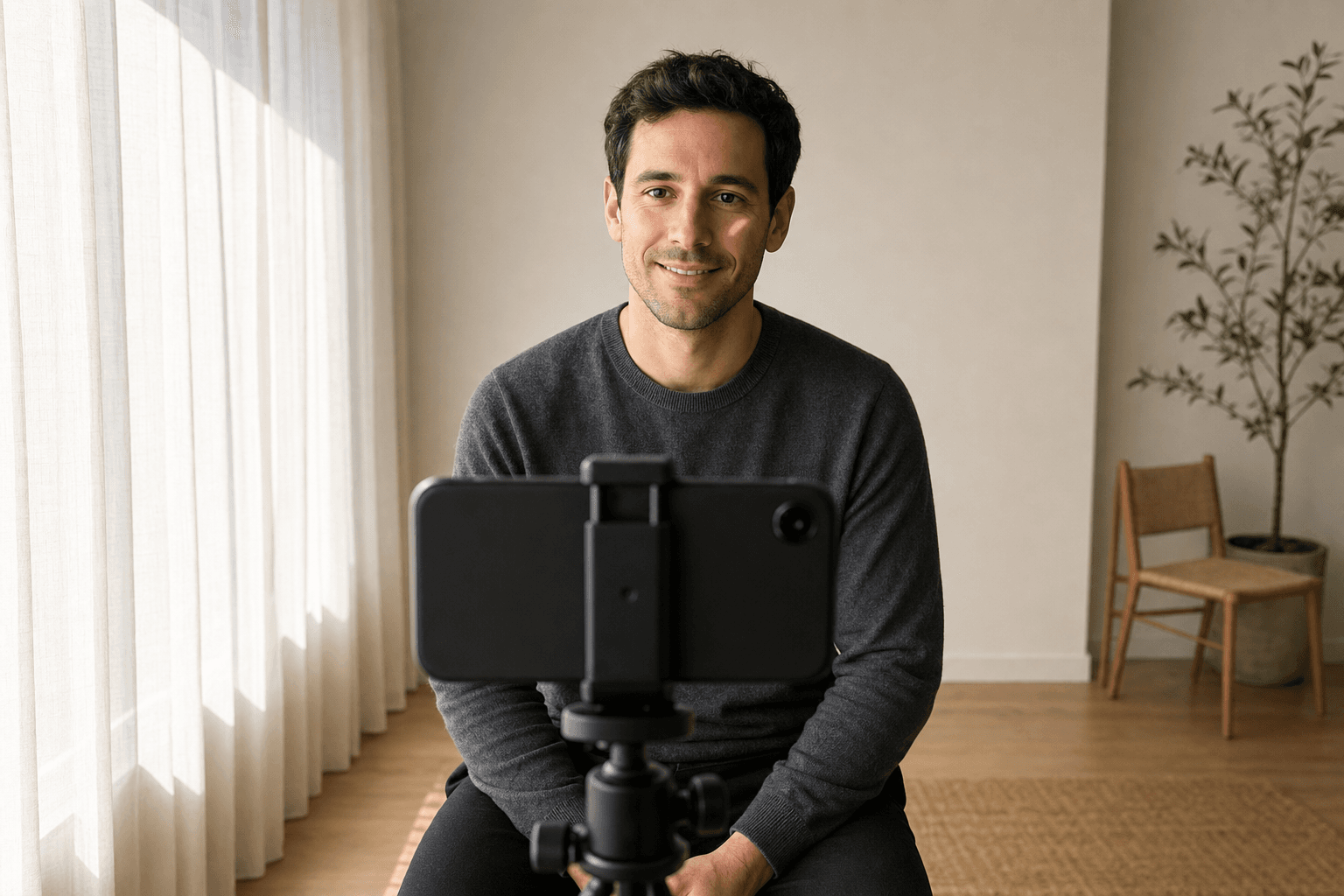
What the correct setup looks like: window on the **side** (here on the left), smartphone on a tripod opposite, you sitting behind it. Daylight models the face — bright side toward the window, soft shadow on the opposite side. Classic **Rembrandt lighting** with a smartphone and zero equipment.
Eye level, distance and focal length
The camera must be at eye level, not from below or above. Selfies from below make the chin and nose larger ("double-chin effect"); selfies from above infantilize. Eye level feels most natural and most flattering. If you trigger the shutter yourself and can set up the phone — book stack, tripod, selfie stick with floor mount — adjust the lens to your eye level.
Distance to the phone matters just as much. Selfies from 30 cm distort your face in classic wide-angle ways: nose larger, ears smaller. Optimal is 1.5–2 meters distance; with the outstretched selfie arm you get just under a meter — so use a tripod or a friend. If you're alone and have no tripod: lean the phone against something stable at 1.5 meters and use the self-timer (10 seconds is enough).
05
Step by step
Step by step — a profile picture in 20 minutes
With everything we've covered so far, you can make a solid profile picture at home. Here's the compact recipe that takes less than twenty minutes to a result.
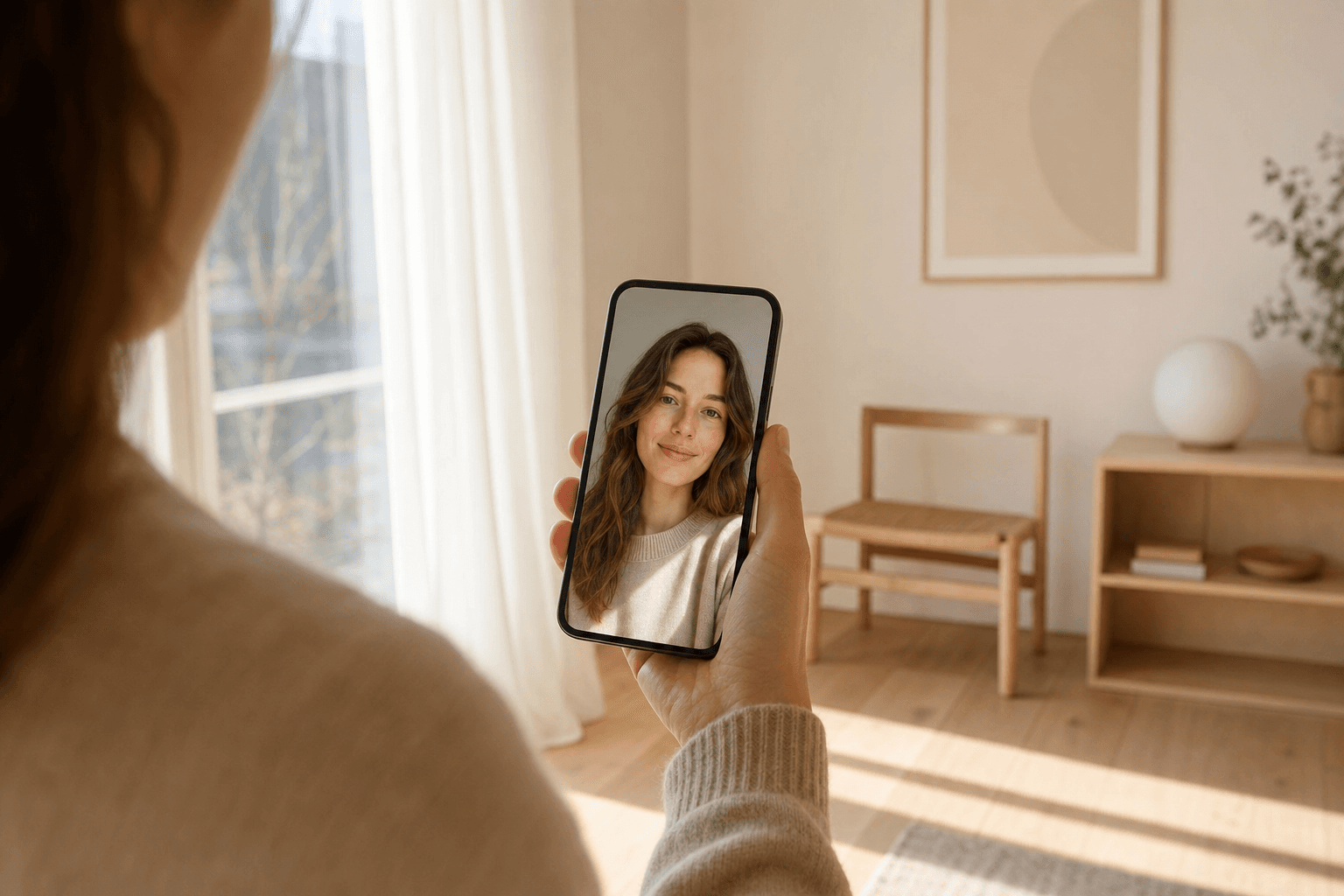
This is the goal of the next 20 minutes: side window light, calm background, sharp eyes, relaxed expression. Fully achievable with a smartphone and zero pro equipment.
Preparation (5 minutes)
Find the brightest window in your home. Make sure no direct sunlight blasts in — ideally cloudy or north-facing. Clear in front of it (move chair, hide cables, create empty background). Wear something you feel good in — plain colors, no big logos or fine patterns. Hair tidy, makeup subtle or none (men: clean shave or trim beard). Charge the phone, enable the grid in the camera settings.
Setup (3 minutes)
Stand facing the window, about one to one-and-a-half meters away. Behind you should be a clean wall or door (or a made bed — the profile-picture classic). Place the phone at eye level — book stack, small tripod, selfie stick with stand. If you don't have a buddy: enable the 10-second self-timer (on iOS the stopwatch icon next to the shutter, on most Android cameras under "Timer").
Shooting (10 minutes)
Choose portrait mode, 1× or 2× lens (not 0.5×). Compose so your eyes sit on the upper third line. Shoot at least 30 to 50 frames in variations: direct gaze, slight sideways glance, with smile, without, half profile, hair down, hair to the side, alternative pose. Don't get discouraged by single bad frames — pros take 200 to 400 frames at a headshot session for three keepers.
While shooting: shoulders loose, chin slightly forward (lengthens neck and removes double chin), tongue subtly against palate (defines the jawline). Right before triggering, think of something genuinely funny — the resulting smile carries the real eye crinkles. Breathe between frames. Nobody looks relaxed in the first photo.
Selection (2 minutes)
Go through all frames, mark the 5–10 favorites. Don't view them in full screen — look at them in the thumbnail view, because that's how someone first sees your picture on LinkedIn or Tinder. Which image jumps out positively even at small size? Which looks forced or fake? That's the first, most important filter.
06
Pro
When a professional shoot is worth it
DIY is enough for most platforms if you follow the steps above. But there are cases where a professional shoot is clearly better invested money than any further smartphone attempt. Here's the honest decision aid.
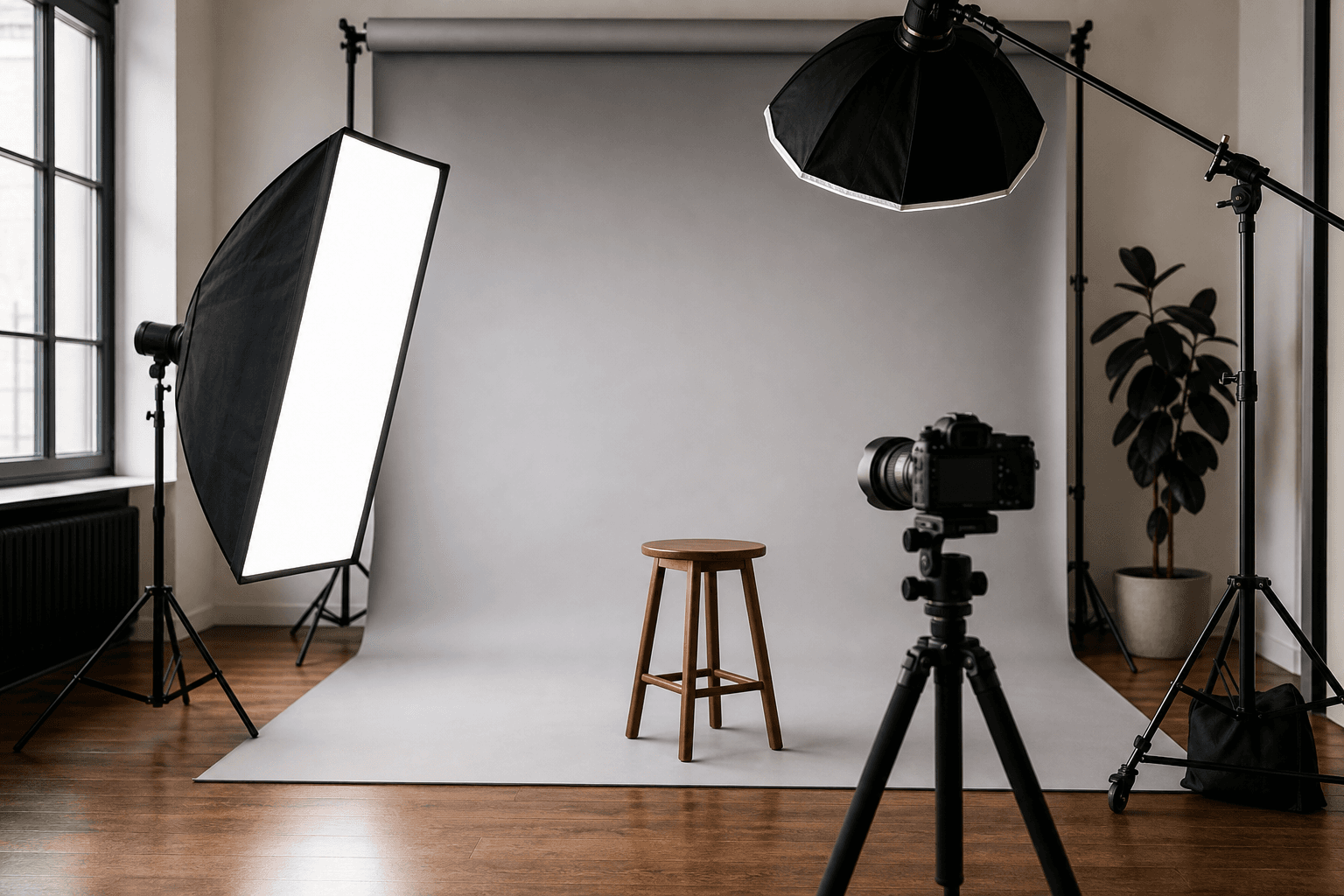
What you get from a pro shoot: controlled light, neutral backdrop, tele lens instead of smartphone wide-angle. For classic application photos and senior LinkedIn updates this is the right investment.
When a pro is worth it
Application photo for banks, law firms, classic corporations: a certain standard is expected here, and recruiters recognize pro work immediately by light, background and retouching. If you're applying in a conservative environment, don't cut corners — 90–250 EUR for a professional headshot is well invested given the stakes.
LinkedIn update for senior positions or self-employment: if you make money via LinkedIn visibility as a consultant, freelancer or senior manager, a professional image is a direct conversion lever. 200–400 EUR for a studio session with five to ten finished images pays back fast here.
Sedcard for a model agency: even if agencies first ask for polaroids — see our detailed guide How to become a model 2026 — professional images are essential for the later sedcard. A sedcard session in DACH runs 150–600 EUR.
Personal branding for coaches, speakers, creators: if you build monthly reach via Instagram, LinkedIn, newsletter or YouTube, you need a small library of varied images — headshot, half-portrait, action, lifestyle. A day-long shoot for 500–1,500 EUR makes sense here because the result will be used across all media for one to two years.
When a pro shoot is wasted money
WhatsApp picture, Tinder main, Slack avatar: the bar for "good enough" here is lower than most think. A solid smartphone photo in window light is often even more authentic and better than a stiff studio image. On dating apps especially, too polished quickly reads as fake.
When you feel uncomfortable in your skin right now: a 300-EUR shoot won't give you confidence that isn't there in front of the lens. First sport, sleep, skincare, haircut, new glasses — then the shoot. Otherwise you waste money on a picture you'll also be unhappy with.
07
AI tools
AI headshots — hype, value and limits
Since 2023, AI-generated headshots have been their own market — providers like Aragon AI, Try It On, HeadshotPro, BetterPic, Multiverse promise "professional profile pictures in an hour" for 20–60 EUR from 10–20 selfies you upload. It works technically impressively but is problematic in several ways — and for many use cases the worse choice compared to a good smartphone image or a 90-EUR pro shoot.
Where AI headshots actually work
For internal Slack and Teams avatars, as a LinkedIn quick-fix when you truly have no other image, or for speaker bios at conferences where a picture is suddenly required — AI headshots are a workable bridge. They often look surprisingly good, are consistent in exposure and cost less than any studio shoot.
The three big problems
First: they don't look like you. AI models smooth skin, change chin lines, enlarge eyes, restyle hair. Whoever meets you afterwards says: "you don't actually look like that." For dating apps that's deadly, for applications problematic.
Second: they look increasingly recognizable as AI. What still passed as photorealistic in 2023 is identifiable in 2026 — slight waxy skin, impossible light conditions, too-perfect symmetry. In industries with visual competence (design, marketing, media) that signals negatively.
Third: privacy. Most providers train on your uploaded selfies — and retain usage rights. Read the terms. Anyone with legitimate reasons to care about their image data (lawyers, therapists, politicians) should think twice.
08
Mistakes
The most common profile-picture mistakes
Across several thousand profile pictures we've seen in PicVibe, the following ten mistakes recur — they measurably crater the impact. If you're reading this and already have a profile picture: mentally scroll through and check whether any apply.
◆Window behind you — face dark, background bright. Most common mistake.
◆Selfie from too close a distance — nose larger, ears smaller, wide-angle distortion.
◆Camera angled from below — double-chin effect, unflattering perspective.
◆Sunglasses on the main image — hides the eyes, instantly costs 50 % of the impact.
◆Group photo as a profile picture — never works on dating apps and LinkedIn.
◆A photo where someone next to you was just cropped out — the crop always shows.
◆Filter that smooths the skin — reads as AI-look in 2026 immediately.
◆Image from the car, the gym mirror or the hotel-room bed — the background tells a story you don't want.
◆Too-old images — you look different today; every first in-person meeting notices.
◆Face too small in the frame — profile pictures display small; at 110×110 pixels your head simply isn't visible.
09
Validation
Before you upload — get it rated
Here comes the most important step almost nobody takes. You now have three to five images that look okay to you. Before you put one of them on LinkedIn, Tinder or your CV — test which one actually lands best with strangers. This is exactly where self-judgment systematically fails.
We see ourselves mirror-reversed. We know the stories behind the images. We like pictures because we remember the moment they were taken. Strangers see none of that — they only see what's in the image and judge in 100 milliseconds. Friends barely help: they're too kind, they know you too well, they carry past versions of you with them.
That's exactly why I co-developed the [PicVibe](/en/best-free-photo-app/) app with a small team. You upload two to six profile pictures and within minutes get anonymous feedback from real people who don't know you. The images are rated across four dimensions — vibe, status, vitality, photo quality — and you see at the same time which of your pictures lands best and why.
This doesn't replace a photographer or a posing coach. But it solves the one problem everyone has: the final selection between similarly good pictures. Whoever does this once is amazed how often the image they preferred is not the one that works best with strangers.
10
Action
Your action plan — what to do next
Now the knowledge is on the table — what's left is the concrete first step. Pick the spot you're currently at and do exactly that one thing next.
If you have no profile picture at all right now
Tonight: follow the step-by-step in section 05. 20 minutes, bright window, smartphone in portrait mode, 30 frames. Tomorrow morning: pick the 5 best with a fresh eye. Then: upload them to PicVibe and let it decide. The winning image goes on LinkedIn, WhatsApp or Tinder tonight. Done.
If you have an old or mediocre picture
Upload the current image plus two or three alternatives to PicVibe. If the old one scores clearly worse: swap it today. If all are equally mediocre: plan a 20-minute DIY shoot according to the guide — the old shots won't save you.
If you need an application photo or senior LinkedIn update
Take 90 minutes and book a slot with a local pro with a strong portfolio. In Hannover and nearby: via my business portrait page. Bring two different outfits (one neutral, one with a bit more character), eat beforehand, sleep well the night before. After the session: pick three to five finals, anonymously cross-check with PicVibe, upload the strongest.
If you're building a personal brand across multiple platforms
Plan a full-day shoot with a pro covering headshot, half-portrait, action and lifestyle. Bring three to five outfits, collect posing inspiration on Moodsnap or Pinterest beforehand. After the shoot: the headshot for LinkedIn, the most striking lifestyle frame for Instagram, a half-portrait for your website. The result will hold one to two years.
11
FAQ
Common questions about profile pictures
Which profile picture matters most in 2026?+
There isn't one universally most important picture — it depends on the use case. For job applications it's the LinkedIn/application photo. For dating it's the main image on the dating app. For office work it's the Slack avatar. Invest first in the picture that's seen most often.
Can I use the same photo across all platforms?+
In most cases yes — if the photo is neutral enough (headshot, clean background, friendly expression). Dating apps usually deserve a warmer main image than LinkedIn, because the intended impression differs (warmth and attractiveness vs. competence and credibility).
How old can my profile picture be?+
Rule of thumb: no older than two years. On LinkedIn and dating apps especially strict. If you've changed visibly (haircut, beard, weight), swap it immediately — not just before the next meeting.
Do I really need a pro, or is a smartphone enough?+
For 80 % of use cases a good smartphone photo following section 05 is enough. Pro shoots are clearly worth it for conservative-industry application photos, LinkedIn updates for senior positions or self-employment, sedcards for model agencies and personal branding with a library of images.
Are AI headshots a serious alternative?+
As a stopgap for internal business avatars: yes. As a long-term LinkedIn, application or dating image: no. AI headshots change skin texture and facial features — that becomes obvious at the first in-person meeting and costs trust.
How do I check whether my profile picture actually works?+
Upload two to six alternatives to a feedback app like PicVibe or Photofeeler. Anonymous judgment from strangers is the only reliable path — friends are too kind, family is too used to your face.
Should I show a logo or a face on Instagram?+
If you appear as a brand or company: logo. If you network as a person, build personality or introduce yourself: face. Hybrid coach accounts often do both — a half-portrait with a clear color palette that also functions as a brand signal.
Which image dimensions are current for 2026?+
LinkedIn: 400×400 px (square). Tinder/Hinge: portrait, at least 800×1000 px. Instagram/TikTok: round, 110×110 px displayed, but upload at least 320×320 px. Twitter/X: round, 400×400 px. WhatsApp: square, at least 192×192 px. CV PDF: portrait, at least 600 px height at 300 DPI.
What if I generally don't like myself in photos?+
Most people feel the same — we see ourselves mirror-reversed and find "normal" photos initially foreign. Take many shots, get them rated objectively (e.g. PicVibe), trust the result. Your impression of yourself and strangers' impressions of you are not the same thing.
**Disclosure:** I offer [business portraits and application photos](/en/business-photography/) in Hannover and co-developed the [PicVibe](/en/best-free-photo-app/) app, where profile pictures are rated anonymously by real people. Both are mentioned in this article — openly disclosed, not hidden. You need neither to walk away from this guide with a great profile picture.
◆ Newsletter
Bleib auf dem Laufenden.
Kamera- und Fotografie-News, ehrliche Equipment-Tests und neue Artikel – direkt in Dein Postfach. Selten, dafür relevant. Kein Spam, jederzeit abbestellbar.