
Employee Portraits & Corporate Photos: The Guide for Team and Photographer

A guide for two roles: what you plan as a photographer on team-photo day — and what you control yourself as a model, employee or client in front of the camera. From positioning through outfit and light to delivery.

Employee portraits and corporate photos — team photo shoot in an office with a consistent setup
Martin Kleinheinz
Author
Martin Kleinheinz
Photographer · Business & Team Photography · Hannover
Updated
July 19, 2026

An employee portrait is not a private photo with a company occasion attached. It's part of a system: twenty, fifty or two hundred faces that all have to look treated the same way — same background, same light, same tonality. If one person stands out from the row, you notice it instantly on the team page. That's exactly what this article is about: corporate photos and employee portraits as a B2B image system, not a one-off shoot.

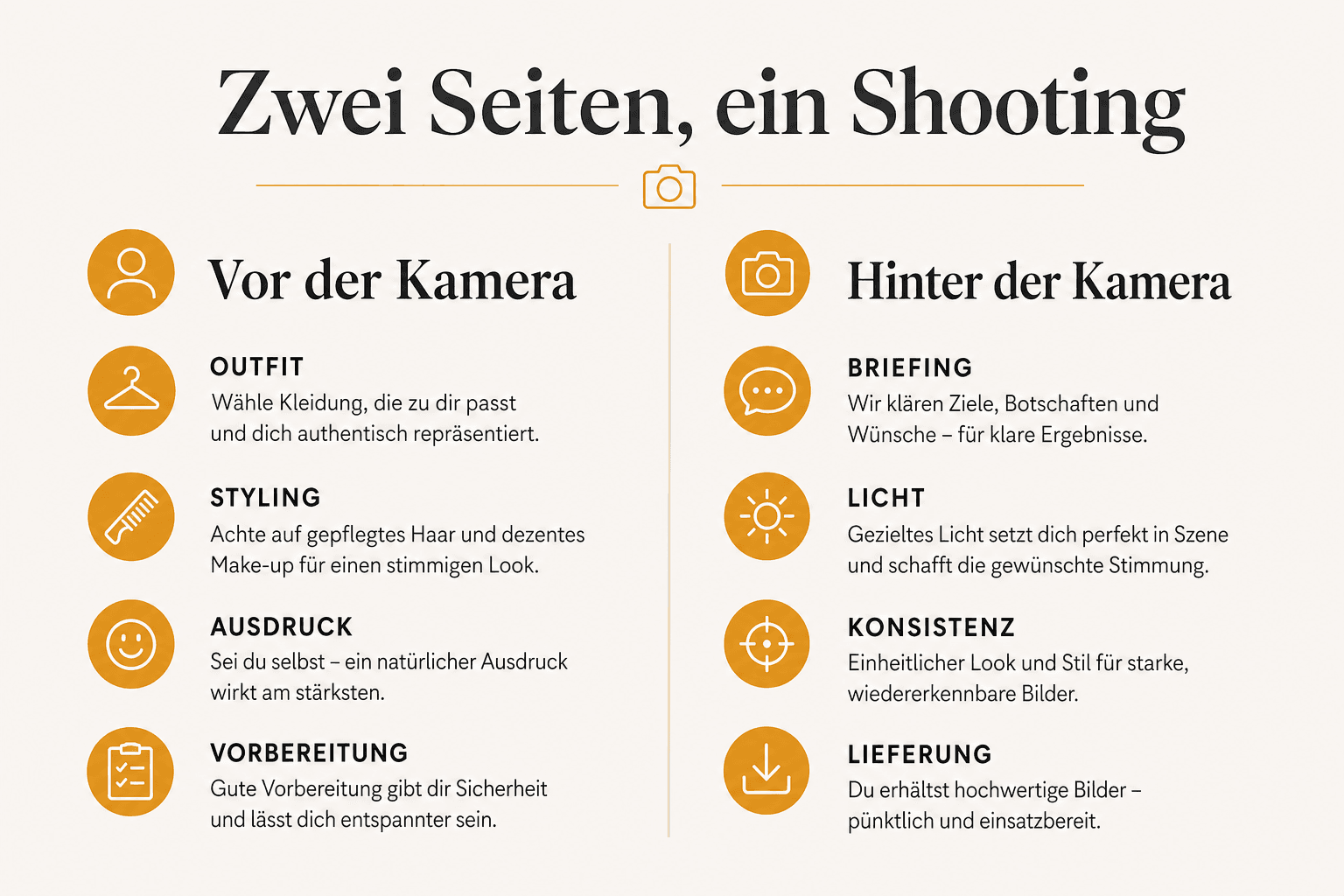
This guide deliberately speaks to two audiences. If you're a photographer planning a team-photo day, you'll find briefing, setup, workflow and delivery standards here. If you're an employee, model or client standing in front of the camera, you'll find what you can influence yourself: outfit, preparation, posture, expression. Both perspectives run through every chapter — usually side by side, because both sides are making the same decision from opposite ends.

What this article isn't: not a DIY guide for a single profile picture — that's covered in How to Create a Profile Picture. Not a general course in posing — for that, see Portrait Posing. Not a deep dive into lighting technique — you'll find that in Studio Lighting for Portraits. And not a booking page — if you want a team photographed in Hannover, that's where to go next: Business Photography. This is about how it all comes together: team, series, consistency, result.

00
Start

Who this guide is really for

"Employee portraits" never involves just one person. HR books the slot, leadership wants a consistent image to the outside world, the photographer is standing in a hallway with limited time, and the employees are standing — often for the first time since their application photo — in front of a camera again. Each of these roles has different questions. This guide answers them in parallel.

You're in front of the camera
As an employee, executive or model for a business shoot, you want to know: what do I wear, how do I sit or stand, what is the photographer looking for, and what do I do with the ten minutes of prep time I have.
You're behind the camera
As a photographer, you're planning a session for multiple people in a single day. You need a briefing that lands, a setup that doesn't drift between person one and person forty, and a workflow that still holds up when people run late.
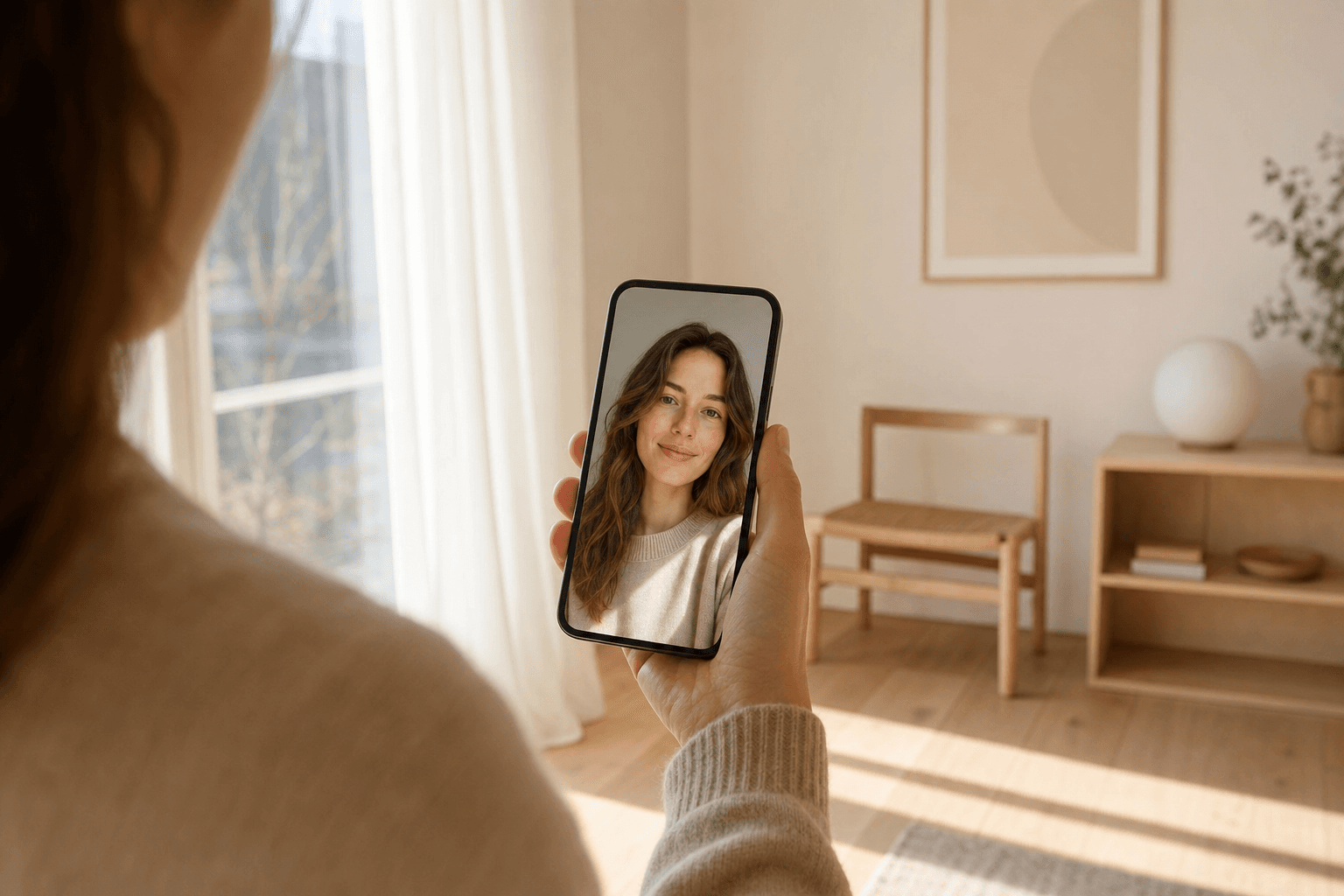
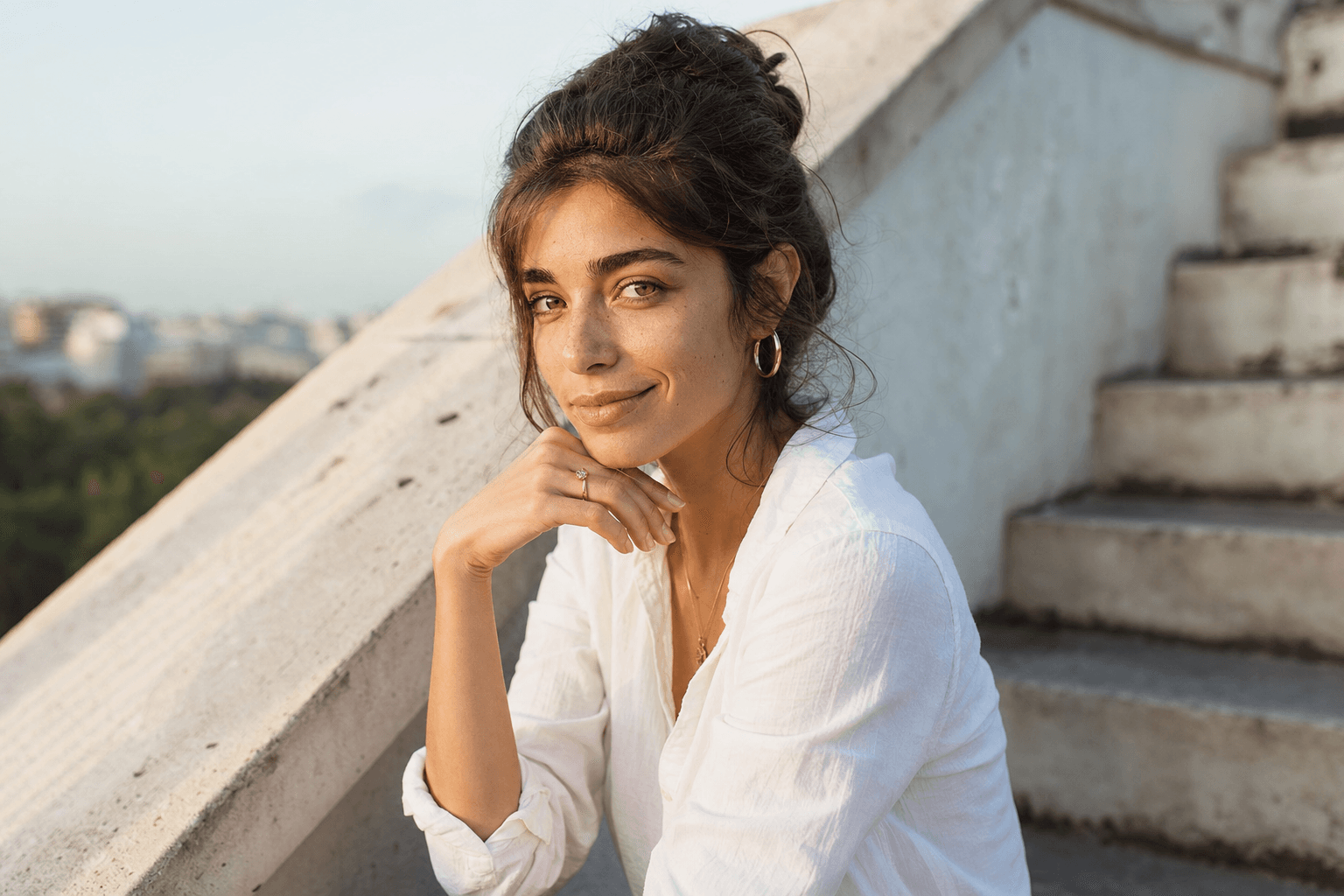
Two perspectives on an employee portrait shoot: the person behind the camera and the person in front of it
Two roles, one result — this guide follows both sides through every chapter

To draw the line, so you don't end up reading the same thing twice: a single DIY profile picture without a photographer is covered step by step in How to Create a Profile Picture. General principles for posture and posing live in Portrait Posing. If you want to understand light patterns, softbox physics and ratios in detail, that's in Studio Lighting for Portraits. And if you want to book a team shoot directly: Business Photography in Hannover.

01
Foundation

Positioning: Who are you, and how do you want to come across?

Before a camera comes out, there needs to be an answer to a simple question: how should the company come across in these photos? Serious and understated like a law firm? Approachable and dynamic like a tech start-up? This decision determines background, light, clothing and expression — before the first person even steps in front of the camera.

For you behind the camera

Ask HR or marketing for a moodboard before the shoot — three to five reference images showing how the brand should look. If none exists, build one together in fifteen minutes: show examples with a hard studio look, with soft window light, with color and with black-and-white backgrounds. The reactions usually sort themselves out fast. Skip this conversation and you'll be making decisions on set that have to be revisited later — more expensive than fifteen minutes beforehand.

For you in front of the camera

As an employee, you rarely have influence over the overall look — but you're allowed to ask what's expected of you. Should it feel relaxed or formal? Is there a clothing guideline? Asking this one question in advance saves you re-styling stress on the morning of the shoot.

Serious / classic
Neutral background (gray, black or white), symmetrical light, formal clothing, calm expression. Typical for law firms, banks, consulting.
Approachable / modern
Warmer light, often an office or location background instead of a studio backdrop, business-casual, a genuine smile instead of a pose. Typical for agencies, start-ups, trade businesses.
Editorial / premium
Deliberate contrast, tighter framing, a reduced color palette. For companies that want to stand out more from competitors — needs more planning and usually a pro.
Classic business portrait against a gray studio background with soft side light
Classic / serious — neutral background, calm expression, clear focus on the person
Approachable business portrait in an office with window light and a soft background
Approachable / modern — office setting, business-casual, light from the window instead of a studio backdrop
02
Why

Why team portraits build trust

An "about us" or team page without faces feels anonymous — no matter how good the copy is. People want to know who they're dealing with before they send an inquiry or apply for a job. A face, a name, a short line about the role lowers the barrier to first contact far more than another paragraph of marketing text.

Three employees in a consistent business portrait series against the same background
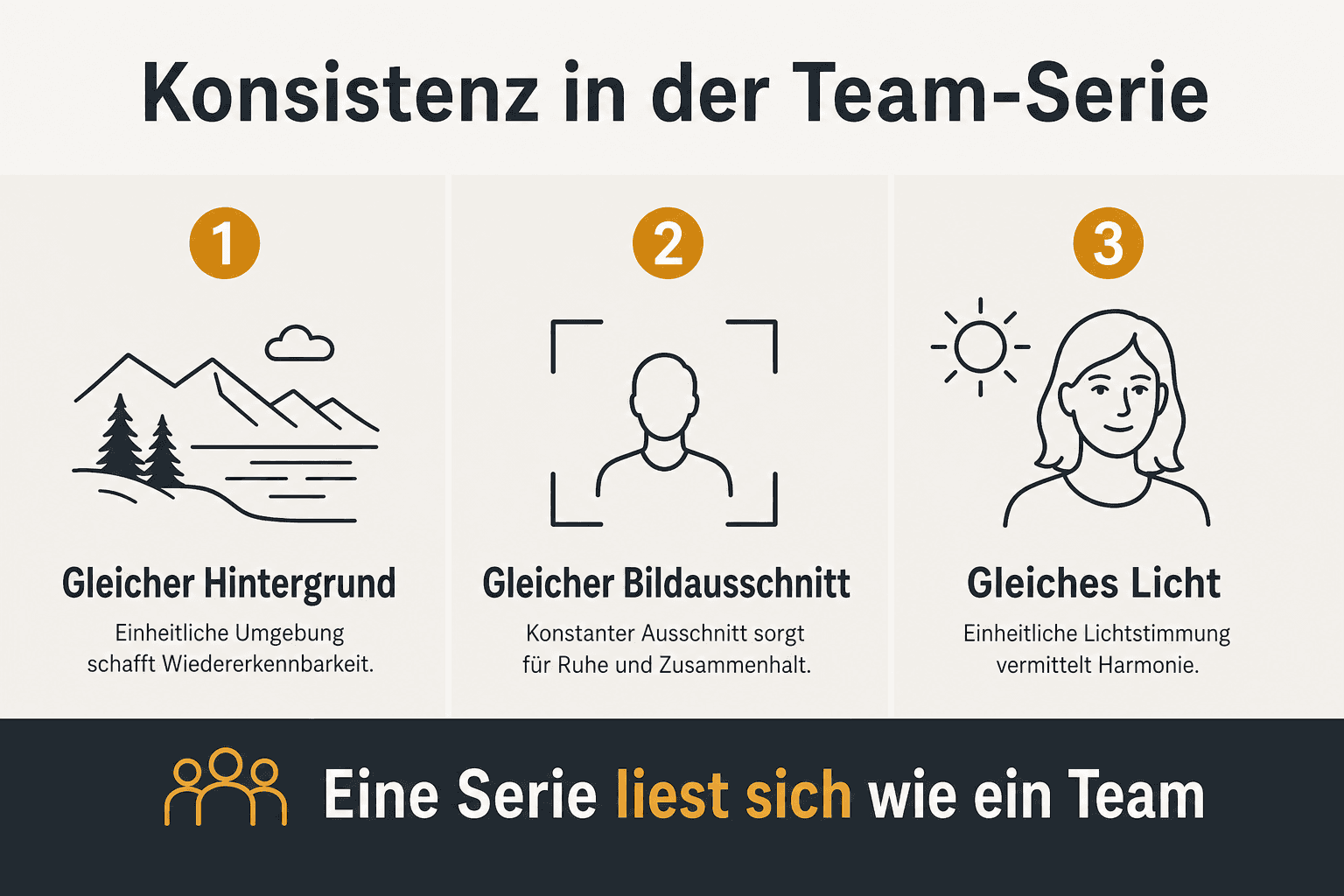
This is how a team reads: same background, same crop, same light — the people stay different

The same applies to job applicants: before writing an application, people look at the team. Do the people there come across as real, consistent and well presented — or like a random mix of five different phone photos with different white balance? The latter costs applications without anyone consciously noticing why.

Trust before the first click
A consistent team image signals: here's someone who takes details seriously. That unconsciously colors the perception of the whole company.
A recruiting lever
Good, consistent employee photos on career pages narrow the distance between applicant and company — especially for smaller businesses without a large employer brand.
Consistency across channels
Website, LinkedIn and presentations often reuse the same images. A consistent look ensures the company looks equally professional everywhere — not just on the homepage.
03
Criteria

What makes a good business portrait

A good business portrait has character and fits the brand — both at once, not one at the expense of the other. Pure glossy neutrality feels interchangeable; pure individuality without a common thread breaks the series. The following points apply to every single image and to the whole series together.

Recognizably the person, not the pose
A stiff passport-photo stare says nothing about the person. A micro-smile, a slightly turned shoulder, an alert gaze — that makes a face instead of an ID photo.
Consistent within the series
Same framing (usually head-to-chest or head-to-waist), same camera height, same background, same light color. More detail in Portrait Posing and the Studio Lighting Guide.
Sharp at the right point
Focus sits on the near eye, not the tip of the nose or the ear. With glasses: no reflections that obscure the gaze.
Fitting the brand, not the trend
A very hard, dramatic editorial look can work for a creative studio and feel wrong for a tax firm. The look you decided on in chapter 01 decides here, not the current Instagram trend.
04
Preparation

Outfit for application and business photos

Clothing is the area clients and employees control most themselves — and the one that most often still needs correcting on set. A few simple rules prevent most problems.

Classic application photo: suit, light shirt, calm smile against a light background
Application and LinkedIn look — solid color, wrinkle-free, subtle smile, light background

For you in front of the camera: what to bring

Solid color or subtle
Small, fine patterns (checks, herringbone, thin stripes) flicker on photos and video — the so-called moiré effect. Solid-colored tops in muted tones are the safest choice.
Ironed and wrinkle-free
Take the outfit out of the garment bag at the last moment, or hang it up in advance. Wrinkles at the collar and shoulders show up in every photo — retouching can barely rescue them.
Avoid logos and large prints
A t-shirt with someone else's brand logo rarely fits your own corporate image. Company logos on polo shirts are fine if that's intentional — otherwise, go neutral.
Match color to the background
Against a gray or black background, most colors work. Against a white background, avoid pure white tops — otherwise the outline blurs into the background.
Have a backup ready
A spare top in your bag costs nothing and saves the appointment if the first outfit doesn't work out on site after all (color, pattern, stain).

For you behind the camera: a quick check before you shoot

Smooth the collar and shoulders
A quick hand smoothing or tug before each frame — costs five seconds, saves retouching time afterward.
Check patterns in the viewfinder
Fine checks often only show moiré in live view or on the camera display, not to the naked eye. Zoom in briefly before the series starts.
Send the briefing in advance
Send the outfit guidance by email or an internal channel before team-photo day starts — not on site. That leaves time for the backup option.
GarmentUsually worksBetter to avoid
TopSolid color, matte material, sleeves to the elbow or longerFine checks/stripes, large logos, shiny fabrics
ColorMuted tones: navy, charcoal, burgundy, sage greenPure white against a white background, neon colors, bright pink
JewelrySubtle, one piece (earrings or necklace, not both bold)Large, shiny statement pieces that reflect flash

Rule of thumb: the calmer the outfit, the longer the image stays current

05
Consistency

Dress code and team consistency

For single portraits, a fitting outfit is enough. For a team series, there's a second task: how do you make sure twenty different people with twenty different wardrobes end up looking together, without everyone having to wear the exact same shirt?

A color family, not a uniform
Instead of "everyone in black," "muted, dark tones — no white, no neon colors" almost always works better. Enough room for personal style, enough of a frame for consistency.
The accessory bridge
A small shared element creates a sense of belonging without a forced uniform: the same company pin, a scarf in the same color, a matching lanyard. Barely noticeable, but it acts as a visual thread across the whole series.
Communicate the dress code early
A week ahead, not on the morning of the shoot. People need time to find a fitting piece in their own closet or buy one.
Plan for exceptions
Some roles (workshop, kitchen, field service) have work clothing that's meant to be shown deliberately. That's not a break in consistency if it's planned as its own category — it only becomes a problem when it happens by accident.
06
Setup

Studio, office or plain background?

Location shapes the overall impression more than any camera setting. Three options are common — each with its own strengths.

LocationLookEffortBest for
Studio / mobile setVery consistent, controllable, neutralSetup time on site, possibly travel to the studioLarge teams, when consistency is the top priority
Office / workplaceApproachable, authentic, shows the work environmentMedium — a corner of the office needs preparingCompanies that want to show "real everyday life"
Plain background (rollup, molton, paper)Timeless, easy to cut out, interchangeableLow — fits into almost any roomTeams with a changing roster, career pages

For series with many people: a plain background or studio usually beats an office setting on consistency

Four employee portraits with identical framing, background and light side by side
Same framing, same background, same light — that's the difference between a series and a collection of individual photos

A plain background has a practical bonus: it can be cleanly cut out later. For team pages that show all portraits against the same color field — regardless of where they were actually shot — that's often the most pragmatic way to a consistent look, even when not everyone was available on the same day.

If you want a deliberately dark, editorial look, the technique behind it (distance, molton, "flagging light off the black") is covered in Black Background for Photos. For loop light, ratios and modifier choice in the studio: Studio Lighting for Portraits.

07
Finishing Touches

Avoiding shine and natural make-up

Flash is unforgiving: every oily patch on the forehead, nose or chin becomes visible, even though it barely shows under normal light in everyday life. Both sides can manage this with very little effort.

For you in front of the camera

Mattifying powder instead of heavy make-up
A translucent setting powder on the forehead, nose and chin is usually enough. More make-up under flash quickly looks applied rather than natural.
No fresh oil or cream right before
Rich face cream applied right before the shoot causes extra shine. If needed, apply it at least 20 minutes beforehand and let it absorb.
Keep lips and eyes subtle
Bold, glossy lipstick or heavy glittery eyeshadow often pulls focus from the overall impression in business photos. Matte, muted tones hold up better.

For you behind the camera

Keep mattifying wipes on set
A simple oil-absorbing blotting sheet between people saves any session that would otherwise need extra retouching.
Light angle against oily shine
A key light positioned too flat and too frontal amplifies shiny patches. Raised slightly and angled to the side (see Studio Lighting) noticeably reduces it.
A quick look at the display
Check briefly after the first few frames per person, not only at the end of the day. Shiny spots can be fixed on site in seconds; in retouching they cost far more time.
08
In Front of the Camera

Expression, hair, beard and glasses

Expression shapes a portrait's impact more than any technical setting. A genuine, small smile beats a forced grin almost every time — and it comes from simple direction rather than the instruction "just smile."

Real moments instead of a smile on command
A short bit of small talk or an unexpected question right before the shutter clicks usually produces a more natural smile than "please smile." As the model: let your shoulders relax, breathe out briefly, then look into the lens.
Hair: down or up, but decided
Half-up styles that shift during the shoot cost time for readjustments. A clear decision beforehand — fully down or fully up — holds up longer than a compromise.
Beard groomed with clear lines
Freshly trimmed lines on the cheek and neck look noticeably cleaner in photos than the day before. A visit to the barber the day before the shoot almost always pays off.
Glasses without reflections
Photographers usually tilt the glasses slightly downward or shift the flash angle to remove reflections from the lenses. As the model: quickly ask whether anything is reflecting in the shot — that's easier to catch on site than later on screen.
Business portrait with glasses and no distracting light reflections on the lenses
Keep the glasses on, avoid reflections — light from above/the side, tilt the lenses slightly if needed
09
Decision

Yourself, a colleague, or a pro?

Not every company needs a photographer for employee portraits — but past a certain team size or visibility, the investment almost always pays off. Three tiers, roughly sorted by effort and stakes.

TierFits when …Limits
Yourself (smartphone)One or two people, small budget, internal useConsistency across more than three or four people is barely controllable — see How to Create a Profile Picture for the individual walkthrough
A colleague with a good cameraA small team, some practice with light and cameraWithout experience with flash and setup, the series often turns out uneven — a chapter like Studio Lighting helps but doesn't replace hands-on practice
Professional photographerWhole team, website/LinkedIn use, recruiting-relevantCosts more than DIY, but you get a consistent series, a plannable workflow and clearly settled usage rights

Rule of thumb: past about five people or public visibility, a pro usually pays off much faster than the math first suggests

For a single profile picture — say, for your own LinkedIn page without a team context — the DIY route is often entirely sufficient. The full step-by-step process with a smartphone, window light and portrait mode is in How to Create a Profile Picture. As soon as it's about an entire workforce and a publicly visible team page, the math shifts toward booking a pro — if only because of the time coordination and post-processing would otherwise cost internally.

10
In Practice

Team-photo day: workflow and checklist

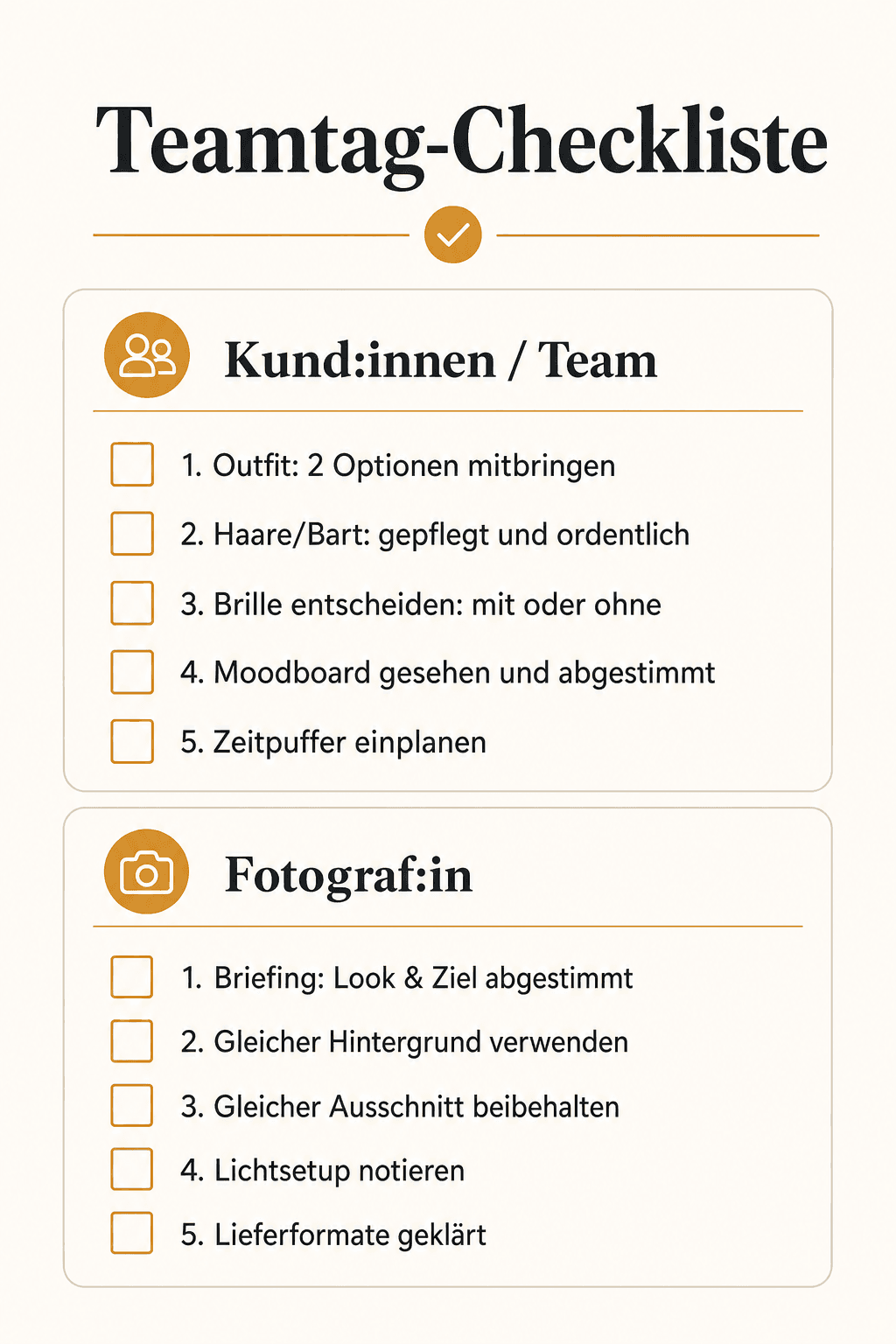
A team-photo day with ten, twenty or fifty people is a logistics task, not an artistic one. Improvise here and you lose time — and by the end, the last person sits in front of the camera stressed while the first person was still relaxed.

For photographers: the team-day workflow

Build and lock the setup before the first person
Decide on light, background and camera position, then secure them with tape or floor markers. No readjusting between people — that costs consistency and time.
A test exposure with one person from the team
Before the official start, run a test person (often from the organizing team) through the full process, check the result on screen, then start the actual schedule.
Plan a realistic time window per person
Three to five minutes per person is enough for two or three outfit variations and a few expression variations. Allow more time for executives or when multiple suits/outfits need to be photographed.
A halfway check of the files
After roughly half the people, briefly review the images so far: is white balance still on point, has the background shifted, is exposure stable? Catch small drifts early.
A name list with order
A fixed list of who comes when prevents downtime and double bookings. HR or an assistant should manage the list on set, not the photographer.

For you as an employee: the day before

Lay out your outfit the night before
Ironed, wrinkle-free, plus a backup option. On the morning of the shoot, there's no time left for decisions.
Enough sleep and water
Sounds obvious, but it shows directly in your face — puffy eyes and pale skin can only be retouched so much.
On time, but not too early
Five minutes before your slot is enough. Waiting around for an hour beforehand usually makes people more restless, not more relaxed.
A brief breath before the camera
A deep breath and relaxed shoulders right before the first frame have a visible effect on expression.
Checklist for team-photo day for employee portraits: setup, test exposure, schedule, halfway check, name list
Five stations for a smooth team-photo day — from setup to the last person on the list
11
Technique in Brief

A practical lighting setup for consistent series

This isn't a lighting-technique textbook — for that, see Studio Lighting for Portraits with light patterns, ratios and modifier physics in detail. Here's the pragmatic core: one stable setup that can be repeated exactly for every person matters more than the most elaborate three-light system.

Window light + reflector (location/office)
Position the subject to the side of the window, with a reflector on the shadow side opposite it. Works without flash, but depends on daylight and weather — risky for long team-photo days if the light shifts over hours.
Softbox setup (studio/fixed room)
One key light in a softbox, raised slightly and to the side, plus a reflector as fill. Constant throughout the day, independent of daylight — the more reliable route for series with many people at one fixed location.

For a deliberately dark, editorial background, the same logic from the studio guide applies: create distance between subject and background, keep the light tightly controlled. More on that in Black Background for Photos.

Two options

Reflector vs. softbox kit for team-photo days

For window-light setups, a reflector is often enough. For a fixed studio spot across a whole team-photo day, a softbox with a stable flash source pays off.

Vergleich
Neewer
Neewer 5-in-1 Reflector 110 cm
Godox
Godox Softbox 80×80 with S2 Mount & Grid
Bild
Neewer 5-in-1 Reflector 110 cm
Godox Softbox 80×80 with S2 Mount & Grid
EmpfehlungLocationStudio Fix
Sensor5-in-1 collapsible reflector80×80 cm softbox
ISO-Bereichapprox. 110 cm diameterS2 / speedlight + Bowens-compatible
AutofokusDiffuser · silver · gold · white · blackGrid / honeycomb included
DetailWindow light · office · location team-photo dayFixed studio spot · team-photo day with many people
Stärken
  • +Ready to use without a power outlet — ideal for switching office rooms
  • +White surface as a quick fill opposite the window
  • +Compact enough to carry between multiple sessions on the same day
  • +Notably cheaper than a second flash system
  • +Constant light independent of daylight — plannable across hours
  • +Grid keeps the background clean, important for consistent series
  • +S2 mount included in the kit — no separate flash holder needed
  • +Works with a speedlight and stronger systems (e.g. AD200-class)
Schwächen
  • Depends on daylight — exposure drifts with changing weather
  • Needs a second person or a stand, otherwise it costs time per frame
  • Less consistent than a fixed flash source across a whole day with many people
  • Needs a fixed spot and some setup time before the first session
  • Less mobile than a reflector when switching between rooms
  • Not ideal without a stable stand in a busy set with lots of foot traffic
Geeignet fürTeam-photo days in an office or location with existing window light and no fixed studio spot.Team-photo days with a fixed photo station and many people, where consistency over hours matters.
Wo kaufen

For window light and location: the reflector

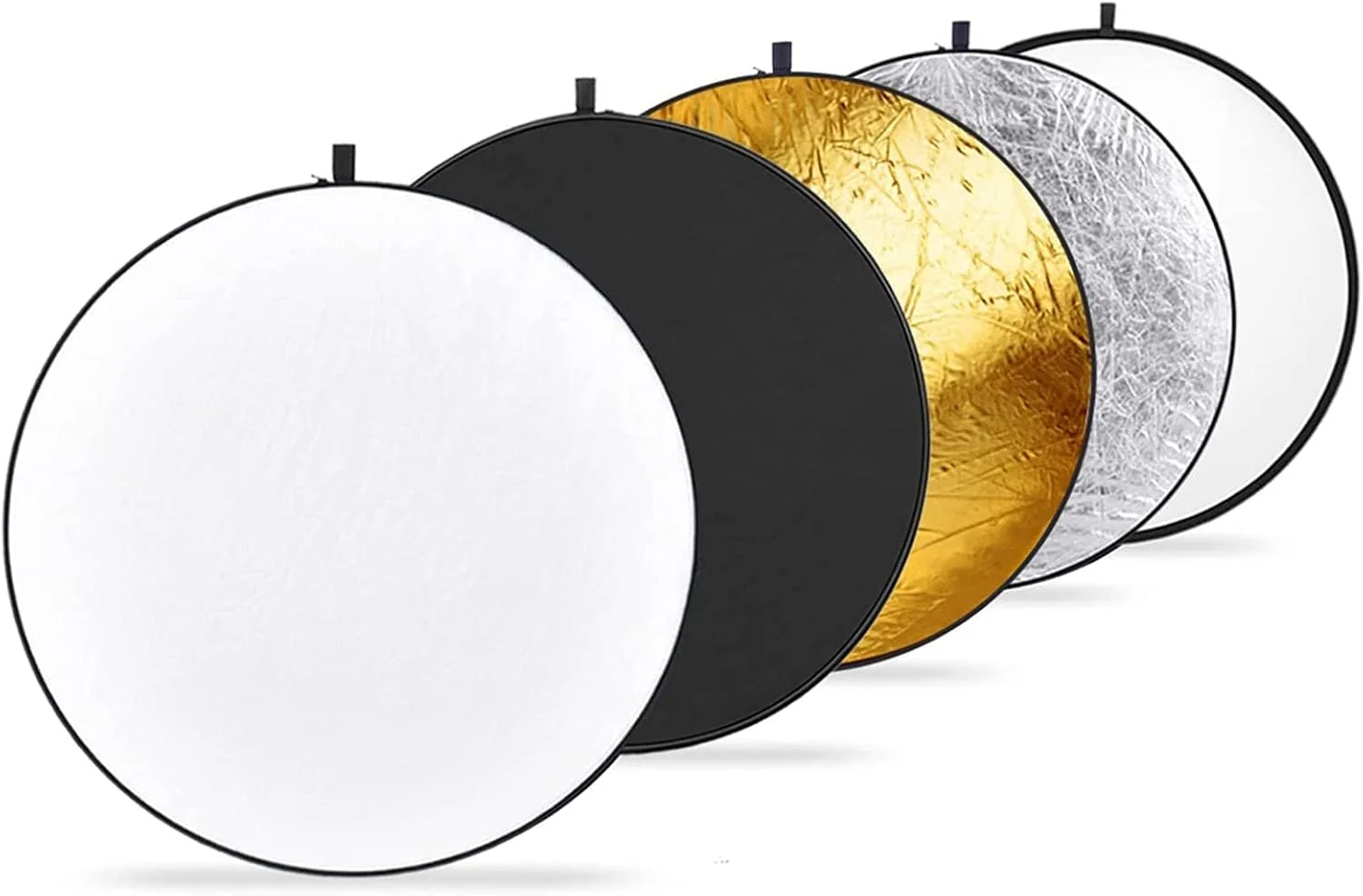
A collapsible 5-in-1 reflector fills the shadow side when daylight comes through the window. White for gentle fill, silver for more contrast under an overcast sky. No power outlet needed — practical when team-photo day moves through different office rooms.

Location
Neewer 5-in-1 Reflector 110 cm
Bewertung
4.5
/ 5,0
★★★★
Basierend auf 0 verifizierten Bewertungen
Neewer

Neewer 5-in-1 Reflector 110 cm

For window-light sessions without a power outlet

Collapsible 5-in-1 reflector, roughly 110 cm: diffuser plus silver, gold, white and black. Practical for team-photo days at a location or in an office when you're working with window light instead of flash — no power outlet needed, quick to carry between rooms. White side as the standard fill opposite the window, silver under an overcast sky for more contrast. Typically €20–35.

Was überzeugt
  • +Ready to use without a power outlet — ideal for switching office rooms
  • +White surface as a quick fill opposite the window
  • +Compact enough to carry between multiple sessions on the same day
  • +Notably cheaper than a second flash system
Was Du wissen solltest
  • Depends on daylight — exposure drifts with changing weather
  • Needs a second person or a stand, otherwise it costs time per frame
  • Less consistent than a fixed flash source across a whole day with many people
Editor's Statement

No power needed — good for switching rooms on team-photo day

Verfügbar bei

For a fixed studio spot: the softbox

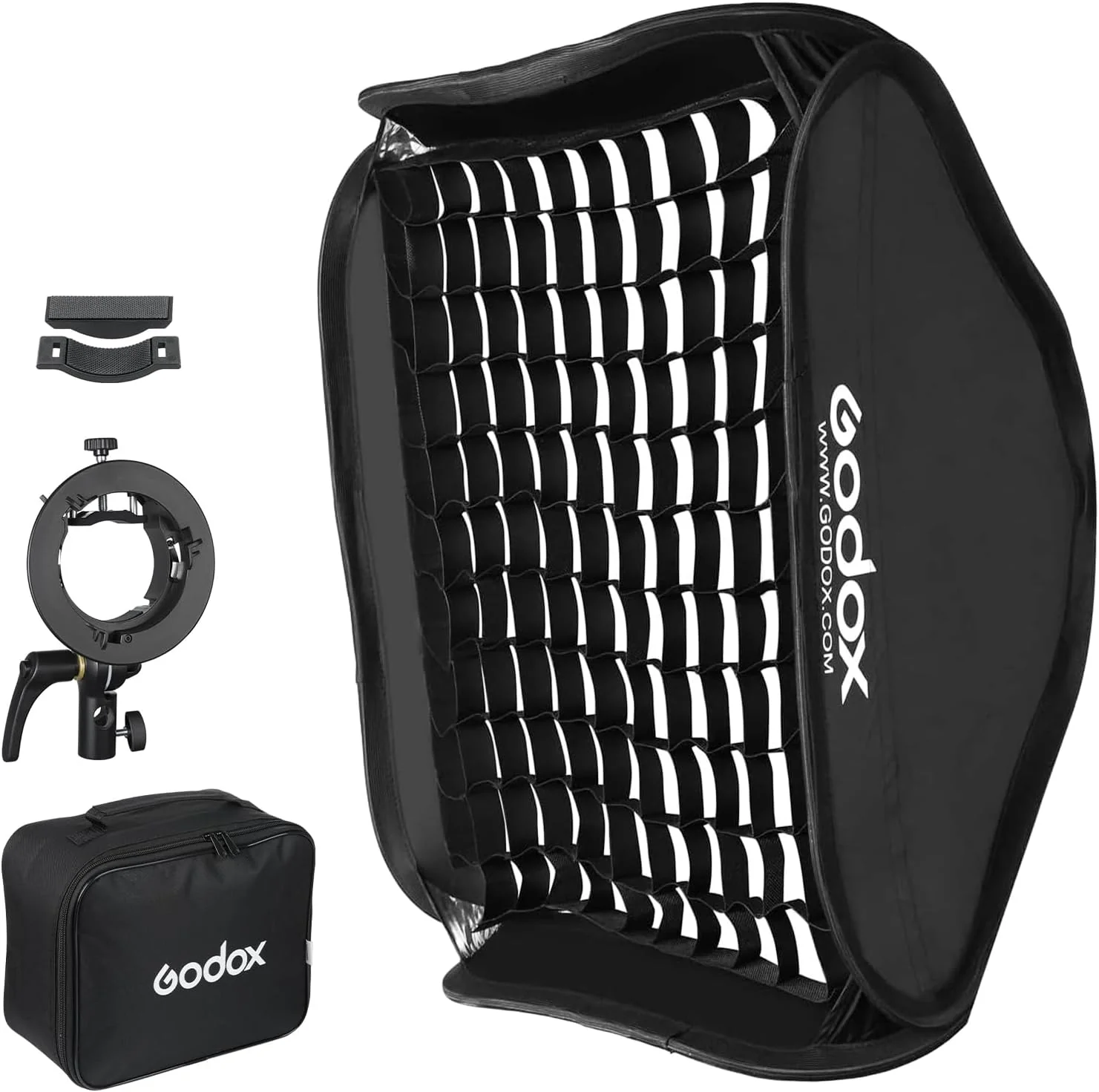
When one room serves as the photo station for the whole day, a softbox with flash delivers a constant result — regardless of whether the clouds outside keep changing. The grid keeps stray light off the background, which helps consistency across many people on gray or dark backgrounds.

Studio Fix
Godox Softbox 80×80 with S2 Mount & Grid
Bewertung
4.6
/ 5,0
★★★★
Basierend auf 0 verifizierten Bewertungen
Godox

Godox Softbox 80×80 with S2 Mount & Grid

For a fixed studio spot on team-photo day

Square 80×80 cm softbox including a Bowens/S2 flash mount and honeycomb grid. When a room serves as a fixed photo station for the whole team-photo day, this setup delivers a constant result independent of daylight or weather — exactly what a consistent series across many people needs. The grid keeps stray light off the background, important with a gray or black backdrop. Typically in the mid double-digit euro range.

Was überzeugt
  • +Constant light independent of daylight — plannable across hours
  • +Grid keeps the background clean, important for consistent series
  • +S2 mount included in the kit — no separate flash holder needed
  • +Works with a speedlight and stronger systems (e.g. AD200-class)
Was Du wissen solltest
  • Needs a fixed spot and some setup time before the first session
  • Less mobile than a reflector when switching between rooms
  • Not ideal without a stable stand in a busy set with lots of foot traffic
Editor's Statement

Constant light for the whole team-photo day — regardless of weather

Verfügbar bei
12
Wrap-Up

Usage rights, formats and delivery

An often-underestimated part of the process: who's allowed to use the images for what, and in what form do they arrive? This is best sorted out before the shoot, not after.

Agree on usage rights clearly
Website, LinkedIn/social media and print often have different licensing needs. A simple usage-rights note in the quote or contract prevents later confusion — especially when employees leave the company and the images are still meant to be used. A free template for consent forms is available at Model & Property Release.
Formats for different purposes
Web mostly uses compressed JPEG or WebP in RGB; print needs high-resolution files (often TIFF or uncompressed JPEG) at higher resolution. Request both formats up front instead of asking for a re-export later.
Cut-out versions
For team pages with a uniform color background, a cut-out version per person pays off — flexible to use, independent of the actual photo background.
Set realistic expectations for retouching
Expected: color correction, light skin smoothing, removing small distractions (lint, flyaway hair, shine). Not expected: a completely different face shape or radical retouching — business portraits should show the person recognizably, not alter them beyond recognition.
13
Takeaway

Takeaway & learning path

Employee portraits and corporate photos succeed when both sides contribute their part: clear preparation and a repeatable setup on one side, a fitting outfit and a few minutes of mental preparation on the other. Neither side can carry the result alone — but either can ruin it alone.

The consistency of the series ultimately shapes the professional impression more than any single standout image. Better twenty equally good, matching portraits than one outstanding one and nineteen inconsistent ones.

  • As a photographer: briefing and moodboard before the shoot, lock the setup, test exposure, fixed time planning per person
  • As an employee: settle your outfit early, keep a backup ready, take a breath before the camera
  • For single profile pictures without a team context: How to Create a Profile Picture
  • For posture and direction in detail: Portrait Posing
  • To go deeper on lighting: Studio Lighting for Portraits

If you want a team professionally photographed in Hannover — with a clear workflow, a consistent setup and settled usage rights: Business Photography shows exactly what that looks like with me.

14
FAQ

Frequently asked questions about employee portraits

How long does an employee portrait take per person?
Three to five minutes is realistic once setup and workflow are settled beforehand. For executives or multiple outfit variations, expect somewhat more time — plan that into the schedule ahead of time, not spontaneously on set.
What should I wear as an employee to the shoot?
Solid-colored, muted clothing without fine patterns or large logos, ironed and wrinkle-free. A backup option in your bag saves the appointment if the first outfit doesn't work out on site.
How do I get a consistent image series for the whole team?
Build the setup once and keep it exactly the same for every person: same camera position, same background, same light. A halfway check of the files catches drift early, before the whole series is done.
Do I have to smile, even if it feels unnatural?
No — a small, genuine smile almost always works better than a forced grin on command. A short, unexpected question right before the shutter click usually produces a more natural expression.
What can I do about shine on my forehead under flash?
Beforehand: mattifying powder instead of fresh cream right before the shoot. On set: keep mattifying wipes ready and choose a light angle that doesn't hit the face flat and frontal.
Is a smartphone photo enough for the team page?
For one or two people, often yes — see How to Create a Profile Picture for the DIY route. Past about five people, keeping light, background and framing consistent without a pro setup gets noticeably harder.
What usage rights do I need for website and LinkedIn?
Best sorted out in advance in the quote or contract — including what happens to the images once a person leaves the company. A free template for consent forms is available at Model & Property Release.
How do I prepare my workforce for team-photo day?
Communicate the dress code and schedule at least a week ahead, ideally with one or two reference images instead of just a text description. A fixed name list with order prevents downtime and delays on set.
What if someone wears glasses — will there be reflections?
Usually solvable with a slight tilt of the glasses or an adjusted light angle. Zoom in and check on the display right after the first few frames, not at the end of the day.
What format should I deliver the images in for print and web?
Web usually gets compressed JPEG or WebP in RGB; print needs high-resolution files at higher quality. It's best to request both formats up front so nothing needs re-exporting later.
Affiliate links marked with * — Amazon product links use partner ID martinkleinheinz-21. I earn a small commission if you buy through these links; there's no extra cost to you. I also offer [business photography in Hannover](/en/business-photography/) myself — openly disclosed, not hidden. The recommendations in this article are based on hands-on practice; no brand sponsored it.
Next step

Ready for consistent business portraits across your whole team?

I photograph teams, executives and workforces in Hannover — with a clear workflow, one fixed setup for the whole series, and settled usage rights for website, LinkedIn and print.

Keep reading

From the journal.

Fotograf, Martin Fernando Mera Kleinheinz · Franz-Bork-Straße 21, 30163 Hannover · 0179 4085297