Lightroom Alternative 2026: Software Comparison in Detail
Comprehensive comparison of the best Lightroom alternatives in 2026: Capture One, Luminar Neo, DxO PhotoLab and more. Professional photo editing without an Adobe subscription — with honest hands-on takes on strengths, weaknesses and migration.
Author
Martin Kleinheinz
Photographer · Hannover
Updated
May 25, 2026
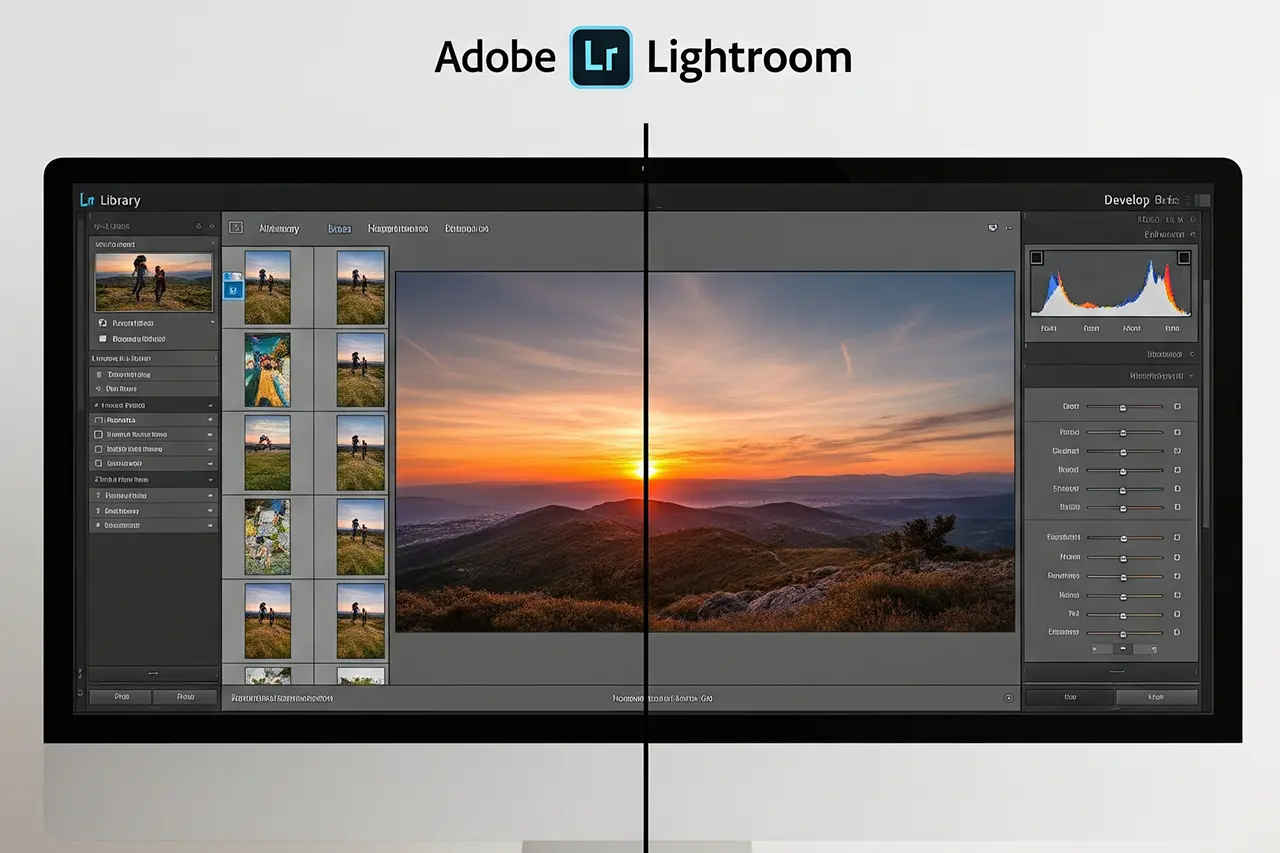
Since its launch, Adobe Lightroom has established itself as the uncontested industry standard for managing and editing digital photos. For the majority of professional photographers and ambitious amateurs, the software — particularly its Classic variant — is the epicenter of the entire digital workflow. The combination of a powerful RAW converter and a robust digital asset management (DAM) system offers a comprehensive solution, often bundled with Adobe Photoshop as part of the Photography Plan. If you don't know the feature set in detail yet, What Is Lightroom? is a full introduction — and the direct comparison Lightroom vs. Lightroom Classic covers the difference between the cloud and desktop variants. For years this dominance went almost unchallenged.
Lately, however, a noticeable unrest has spread through the market. The reasons are many, but one factor outshines all others: Adobe's switch to a pure subscription model. This "forced subscription", as many critics call it, has sparked a fundamental debate about software ownership, long-term cost and dependence on a single vendor. The fear that cancelling a subscription means losing access to a carefully curated image catalog and editing history is an unacceptable business risk for many creatives.
But this financial and philosophical question is only the most visible driver behind the search for alternatives. There are concrete technical considerations on top. Photographers with huge image archives complain of performance bottlenecks, particularly when working with large catalogs or making intensive use of local corrections. At the same time, technological progress in competing products has led to noticeable qualitative catch-up. Some programs promise superior RAW development and more nuanced color rendering, while others advertise innovative, AI-driven features that drastically speed up the editing process.
The search for a Lightroom alternative is therefore not a unified movement. It's driven by three fundamentally different motivations: the financial and philosophical motivation (out of the subscription), the qualitative motivation (better RAW engine, nicer colors) and the efficiency motivation (AI-driven automation). In this complex market, a wealth of programs have positioned themselves. But a closer look shows that the contest for the crown of professional image editing is really fought between three main contenders — Capture One Pro, Luminar Neo and Adobe Lightroom Classic itself.
00
Quick recommendation
Three programs, three audiences
If you only have 30 seconds, here's the short version from more than 15 years of practice with all three big programs:
Capture One Pro
The choice for studio, fashion, portrait and product photographers who want uncompromising image quality. The best skin tones, excellent color tools, the tethering standard. Available in 2026 as either a perpetual license or subscription.
Luminar Neo
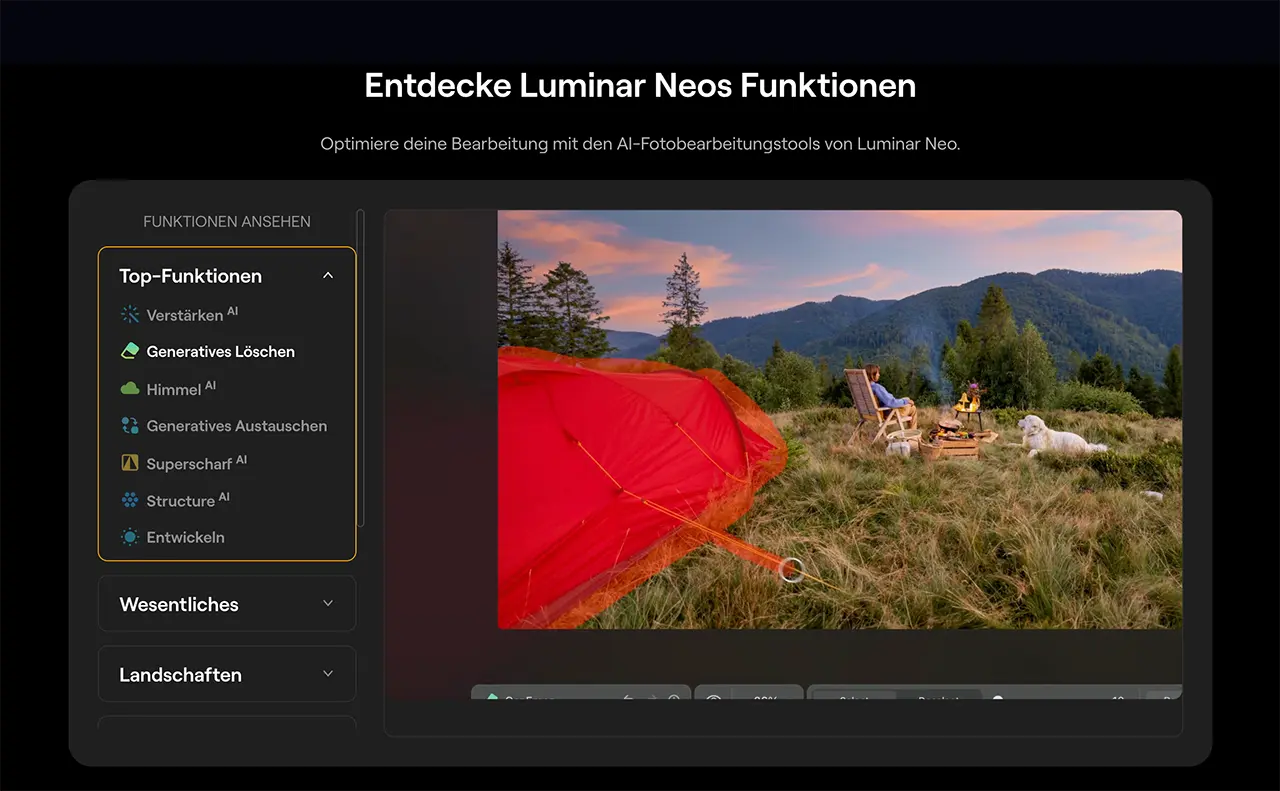
Ideal for landscape, travel and hobby photographers who want fast, creative results via AI tools. Sky AI, Relight AI and the 2025-expanded extensions for HDR, noise reduction and upscaling make editing efficient. Available as one-time purchase or subscription, often on sale.
Adobe Lightroom Classic
Remains the benchmark for digital asset management and the seamless Photoshop workflow. If you manage large archives or want to use the heavily expanded Generative AI pipeline (Generative Remove, Generative Expand, Smart Masks) introduced in 2025, you'll find it hard to avoid Adobe — but you have to accept the subscription model.
Two picks I would buy today
Luminar Neo or Adobe Photography Plan?
**Luminar Neo** is my recommendation for anyone who wants AI-driven editing without accepting a monthly subscription — lifetime license from €149. **The Adobe Photography Plan** with Lightroom Classic & Photoshop remains the default for anyone maintaining an existing catalog or working in the Adobe ecosystem. (Capture One Pro follows in the detailed section as a third option — currently without an affiliate link.)
Vergleich
Skylum
Luminar Neo
Adobe
Adobe Photography Plan (Lightroom Classic + Photoshop)
Bild
Empfehlung
Best Value
Editor's Choice
Sensor
macOS · Windows · plugin for LR/PS
Lightroom Classic · Lightroom · Photoshop
ISO-Bereich
Lifetime from €149 · Pro subscription from €99/year
macOS · Windows · iPad · iPhone · Android
Autofokus
Sky AI · Relight AI · Generative AI · HDR Merge
Monthly & yearly subscription · 7-day trial
Detail
1,000+ cameras · CR3, NEF, ARW, RAF, ORF, DNG
AI masking · Adaptive Profiles · Firefly Generative AI
Stärken
+Lifetime license available — no forced subscription
+Generative AI (Erase, Expand, Replace) significantly expanded in 2025/26
+Sky AI & Relight AI for fast landscape editing
+Usable as a standalone app OR as a plugin for Lightroom Classic / Photoshop
+30-day money-back guarantee
+Best-in-class digital asset management (DAM)
+Seamless integration with Photoshop, Bridge, Camera RAW
+AI masking of subject, sky, people, buildings
+The largest plugin & preset ecosystem on the market
+Cross-device cloud sync
Schwächen
−Digital asset management not at Lightroom's level
−Slower than Capture One with lots of local corrections
−Update roadmap has historically been inconsistent
−Forced subscription — cancellation locks edits inside the catalog
−Performance can collapse on very large catalogs
−Local corrections are slower than in Capture One
Geeignet für
Landscape, travel and hobby photographers who value AI effects and don't want a monthly subscription.
Pros and ambitious hobbyists who maintain a large Lightroom catalog or work in the Adobe ecosystem.
Which program is right for you depends on what you make money with and how many images you manage. The following sections explain the core requirements every Lightroom alternative must meet — and compare the titans in detail.
◆ Lightroom PresetsBundle
Photos with film character
9 Lightroom presets inspired by Portra, Kodak, Fuji & Ilford — for street, portrait and landscape. One-time €29, no subscription.
Core requirements for professional image-editing software
Before we dive into the details of the individual programs, it's essential to define the fundamental criteria a piece of software must meet to be a serious option in a professional environment. These pillars form the framework against which we measure the strengths and weaknesses of Lightroom alternatives. Software that fails in one of these core areas may be interesting for niche use, but cannot be a full replacement for an integrated solution like Lightroom.
RAW processing and image quality
The heart of every professional image-editing program is its ability to interpret and develop RAW files. This is the absolute foundation on which everything else is built. A professional solution must offer the following:
◆Non-destructive editing: all changes must be stored as metadata, without ever altering the original RAW file. This ensures you can return to the original or adjust edits losslessly at any time.
◆High-quality demosaicing engine: the process by which raw sensor data is turned into a visible image (demosaicing) is decisive for final image quality. A good engine maximizes detail rendering, minimizes artifacts like moiré and ensures clean edges.
◆Maximum dynamic range: the software must be able to extract a maximum of information from the brightest highlights and deepest shadows of a RAW file without clipping (blown or crushed areas).
◆Precise color rendering: the ability to render colors accurately and pleasantly is a key quality criterion. This includes not only the correct interpretation of the camera's white balance, but also the quality of color profiles for various camera models.
Digital asset management (DAM)
For pros working with tens or hundreds of thousands of images, a pure editing function is worthless without a system for organizing this data. Simple folder browsing isn't remotely enough. A powerful digital asset management (DAM) system is essential and must offer the following:
◆Cataloging: the ability to import images into a central database and manage them there.
◆Rating and filtering: tools for quick selection and culling, typically via star ratings, color labels and flags.
◆Keywording: a thoughtful system for assigning keywords to make images findable by topic.
◆Metadata management: full support for EXIF and IPTC metadata, including copyright information, captions and GPS data.
◆Virtual organization: the ability to group images in collections or albums without duplicating the physical files on disk. Advanced systems offer "smart collections" that automatically populate based on defined criteria (e.g. "all 5-star images shot with a specific lens").
Workflow efficiency
Time is a decisive economic factor for working photographers. Professional software must therefore enable a fast and smooth workflow from start to finish. This includes:
◆Performance: the software has to remain responsive even with large image volumes and on modern hardware. Loading times, switching between images or applying corrections must not interrupt the flow.
◆Batch processing: the ability to apply edits, metadata or export settings to a large number of images at once is fundamental.
◆Presets and styles: predefined or self-made editing templates (presets or styles) are indispensable for achieving a consistent look and accelerating the editing process.
◆Customizable user interface: every photographer works differently. Good software lets you adapt the workspace to your needs, reorder tools or hide unneeded panels.
Tool depth and precision
While automation accelerates the workflow, pros need full manual control for the final polish. The software therefore has to offer an impressive depth of precise tools:
◆Basic adjustments: precise sliders for exposure, contrast, highlights, shadows, whites and blacks.
◆Tone curves: an essential tool for fine-grained control over an image's tonality.
◆Color control: much more than saturation. A professional tool offers HSL controls (hue, saturation, luminance) per color channel and ideally advanced color-grading tools (tinting for highlights, midtones and shadows).
◆Detail and noise control: high-quality algorithms for sharpening and noise reduction that preserve detail without creating ugly artifacts.
◆Local adjustments: the ability to apply edits to specific image areas is decisive. This requires flexible and precise masking tools like brushes, gradient filters and ideally AI-driven selection. Layer-based editing offers the greatest flexibility here.
These criteria reveal a fundamental tension in the software market: the one between an all-in-one solution and a modular best-in-breed approach. Lightroom built its success on the all-in-one principle, combining a very good DAM with a good RAW editor. Many competitors, by contrast, shine in a niche — like DxO PhotoLab with its unmatched noise reduction or Luminar Neo with its AI effects — but stumble in other areas, especially DAM. That forces you into a strategic decision: do you accept the compromises of a generalist for the comfort of a single workflow? Or do you stitch together a more complex multi-program workflow to get the best possible quality at every step? Only software that convinces in both editing and management can be a genuine Lightroom replacement. This is why Capture One is seen as the most direct competitor.
02
Market analysis
The titans in the ring: a detailed three-way fight
At the heart of the professional editing market sits an intense contest between three programs, each with its own philosophy and audience. Their strengths and weaknesses define the options for every photographer looking beyond Adobe.
Adobe Lightroom Classic: the industry standard on the test bench
Lightroom Classic is more than software — it's an entire ecosystem and, for many, the pivot of their photographic work. Its dominance is the result of years of refined combination of organization and editing. If you want to know the exact difference between cloud-based Lightroom and the desktop variant, Lightroom vs. Lightroom Classic has the complete comparison.
◆Unmatched digital asset management (DAM): Lightroom Classic's core competence is undeniably its Library module. It's the gold standard for cataloging large image volumes. Features like smart collections that fill dynamically based on metadata criteria, deep keyword hierarchies and comprehensive filtering are unmatched for managing professional archives.
◆Seamless ecosystem: integration with Adobe Creative Cloud is a huge advantage. The smooth workflow with Photoshop is indispensable for many photographers. On top of that, sync with the mobile Lightroom versions lets you edit and manage images on desktop, tablet or smartphone.
◆Advanced AI masking & Generative AI: Adobe has invested massively in AI-powered tools over the last few years. The automatic selection of subjects, sky or people is extremely precise. In 2025 and 2026, Generative Remove and Generative Expand brought Firefly-based features directly to Lightroom Classic that erase distracting objects or extend awkward edges with astonishing quality.
◆Huge community and resources: no other program benefits from such a large ecosystem of third-party resources. There's a virtually endless supply of presets, plugins, video tutorials and online courses.
◆The subscription model: the biggest and most frequently cited drawback. The absence of a perpetual license creates ongoing financial commitment and a feeling of dependence. The fear of losing access to your own work after cancellation is a significant psychological and business hurdle.
◆Performance: despite continuous improvements, Lightroom Classic can noticeably slow down — especially with very large catalogs or heavy use of correction brushes. A powerful PC for image editing is mandatory.
◆RAW engine and color rendering: although RAW development quality is very high, it's often seen as inferior to Capture One in direct comparison. In particular, for color rendering — especially skin tones — many users attribute a more natural out-of-the-box quality to Capture One.
Adobe relies exclusively on a subscription model. There is no way to buy the software outright. The most common options come as part of the "Creative Cloud Photography Plan".
Philosophy: software as a service (SaaS). You pay for continuous use, including all updates and cloud features.
Editor's Choice
Adobe
Adobe Photography Plan (Lightroom Classic + Photoshop)
The industry standard — for anyone staying in the ecosystem
The classic Photography Plan includes **Lightroom Classic**, **Lightroom (Cloud)** and **Photoshop** plus 20 GB or 1 TB of cloud storage. The industry standard with peerless digital asset management, AI masking (subject, sky, people), seamless Photoshop round-tripping and the largest tutorial & plugin ecosystem. If you already maintain a huge LR catalog or collaborate with other pros, this is home.
Was überzeugt
+Best-in-class digital asset management (DAM)
+Seamless integration with Photoshop, Bridge, Camera RAW
+AI masking of subject, sky, people, buildings
+The largest plugin & preset ecosystem on the market
+Cross-device cloud sync
Was Du wissen solltest
−Forced subscription — cancellation locks edits inside the catalog
−Performance can collapse on very large catalogs
−Local corrections are slower than in Capture One
Editor's Statement
“For everyone unwilling to give up their existing Lightroom catalog”
Capture One Pro: the choice for uncompromising image quality
Capture One Pro has earned its reputation as the first choice for professional studio photographers and quality fanatics. The software follows an approach where image quality comes first and the workflow is tailored to professional needs.
◆Legendary RAW engine: Capture One's calling card. The software is widely known for delivering outstanding image quality straight from the RAW file. That shows in excellent detail, smooth tonal transitions and extremely precise, natural color rendering. Skin-tone rendering is often praised as the industry benchmark — provided it's judged on a calibrated monitor for image editing.
◆Professional color tools: Capture One offers color-grading tools that go far beyond Lightroom's HSL sliders. The "Advanced Color Editor" and dedicated "Skin Tone" editor provide incredibly precise control over specific color ranges.
◆Best-in-class tethering: for studio work, Capture One is the uncontested standard. The tethering function is extremely stable, fast and offers extensive control over the camera.
◆Flexible workflow (sessions & catalogs): alongside a traditional catalog-based workflow, Capture One offers "sessions". This project-based approach stores all files belonging to a shoot in a single, self-contained folder.
◆Layers and masking: Capture One has long had a robust, layer-based system for local adjustments. That enables more complex edits and more flexibility than Lightroom's sequential adjustments.
◆Pricing: Capture One is significantly more expensive than the Adobe Photography Plan. Both subscription fees and the perpetual license cost represent a higher financial hurdle.
◆Learning curve: the interface and workflow logic are more complex and less intuitive for switchers from Lightroom. Onboarding takes time and a willingness to rethink established habits.
◆DAM features: while Capture One has a fully functional catalog, it's generally seen as less mature and user-friendly than Lightroom's Library module.
◆Lag in AI automation: Capture One lags behind in implementing AI-powered automation. It lacks time-saving features like automatic subject selection or sky detection.
Capture One is one of the few major vendors still offering both options: a classic subscription and a perpetual license.
Philosophy: maximum flexibility for professional users. You decide whether to rent or buy.
Purchase options (as of 2026):
Subscription
Always the latest version of Capture One Pro, including all updates (small and large). Cost: approx. €29/month or approx. €219/year with annual payment.
Perpetual license
You buy the current version of Capture One Pro and can use it indefinitely. Smaller updates are included. Cost: approx. €349 (one-time).
Luminar Neo: the AI pioneer for creative workflows
Skylum's Luminar Neo takes a different path entirely. Rather than trying to copy Lightroom in every respect, the software focuses on simplifying and accelerating the editing process through the massive use of artificial intelligence.
◆Time-saving AI features: this is Luminar Neo's unique selling point. Tools like Sky AI, Relight AI, Structure AI or the portrait tools enable complex edits with just a few clicks. Skylum also significantly expanded the extension library in 2025 and 2026 — with Noiseless AI, Upscale AI, HDR Merge and Background Removal AI.
◆Intuitive, results-oriented UI: the interface is deliberately simple and uncluttered. It targets users who want to reach a visually pleasing result quickly.
◆Strong on creative effects: Luminar Neo shines when it comes to creative looks. Adding sun rays, fog, dramatic moods or applying presets is straightforward and effective.
◆Flexible pricing model: Skylum specifically courts disillusioned Adobe users by offering both a price-competitive subscription and a perpetual license.
◆Insufficient DAM for pros: Luminar Neo's catalog features are very rudimentary. It lacks the advanced search, filtering and metadata tools needed to manage a professional image archive.
◆More of a "finisher" than a complete replacement: because of the weak DAM, Luminar Neo is often used in professional environments not as a full Lightroom replacement but as a powerful plugin.
◆Performance and over-editing risk: the AI-based tools can be very compute-intensive and require powerful hardware. The ease with which strong effects can be applied also tempts users to over-edit images.
Skylum also takes a flexible route with Luminar Neo and is known for aggressive pricing and frequent discount campaigns.
Philosophy: beginner-friendliness through purchase options and a focus on AI-driven tools, often sold as separate extensions.
Purchase options (as of 2026):
Subscription (Pro)
Luminar Neo base app plus access to all current and future extensions during the term. Cost: approx. €99/year (promo prices often significantly lower, sometimes around €50–60).
Perpetual license (Lifetime)
You buy the Luminar Neo base app. Future updates are usually included for a certain time. Cost: approx. €149 one-time. Here too, there are almost always promos pushing the price below €100.
Best Value
Skylum
Luminar Neo
AI photo editing as a lifetime license
Photo editor with more than 30 AI tools: Sky AI, Relight AI, Generative Erase/Expand, Upscale AI and HDR merging. Optionally usable as a plugin for Lightroom Classic and Photoshop. Available as a **lifetime license or subscription** — without Adobe lock-in. Ideal for landscape, travel and portrait photographers who want fast, creative results.
Was überzeugt
+Lifetime license available — no forced subscription
+Generative AI (Erase, Expand, Replace) significantly expanded in 2025/26
+Sky AI & Relight AI for fast landscape editing
+Usable as a standalone app OR as a plugin for Lightroom Classic / Photoshop
+30-day money-back guarantee
Was Du wissen solltest
−Digital asset management not at Lightroom's level
−Slower than Capture One with lots of local corrections
−Update roadmap has historically been inconsistent
Editor's Statement
“My tip for AI-assisted editing without an Adobe subscription”
The big comparison table: Lightroom vs. Capture One vs. Luminar Neo
The following table summarizes the central differences between the three programs and serves as a decision aid to find the right software for your needs.
Criterion
Adobe Lightroom Classic
Capture One Pro
Luminar Neo
Philosophy
The ecosystem: all-in-one with a focus on DAM
The craftsman: uncompromising image quality & precision
The accelerator: AI-driven speed & creativity
RAW engine & image quality
Very good, industry standard
Excellent, best in class for color & detail
Good, but not the primary focus
Color tools
Good (HSL, color grading)
Excellent (Advanced Color Editor, Skin Tone Tool)
Good, with strong creative LUTs and filters
Digital Asset Management (DAM)
Excellent, best in class
Good, less intuitive than LR
Insufficient, not for pro archives
AI-powered masking
Excellent (sky, subject, people)
Limited (no sky/subject)
Very good (Mask AI recognizes many objects)
AI-powered effects
Limited (Denoise, Generative Remove)
Very limited (Smart Adjustments)
Excellent, core competence (Sky AI, Relight AI etc.)
Tethered shooting
Good
Excellent, industry standard
Not available
Learning curve
Moderate
Steep
Low
Pricing
Subscription only
Subscription & purchase (expensive)
Subscription & purchase (cheaper)
Ideal for…
All-rounders, event and wedding photographers who need a strong DAM
Landscape and travel photographers, creatives who want fast results
Direct comparison of the three titans: Lightroom Classic, Capture One Pro and Luminar Neo
Lightroom Presets9 film looks inspired by Portra, Kodak & Fuji —View pack →
03
Specialists
The chasers: paid alternatives and their compromises
Alongside the three titans, a number of other paid programs vie for photographers' favor. They often position themselves as specialists with outstanding individual abilities but generally cannot offer the complete package of a full Lightroom replacement. Their existence does show that part of the professional market is willing to accept a more complex, multi-application workflow for specific quality advantages.
DxO PhotoLab
DxO PhotoLab has earned an excellent reputation as a tool for technical perfectionists. It's less a direct competitor to Lightroom and more a highly specialized "pre-processor".
ON1 Photo RAW
ON1 Photo RAW pursues the ambitious approach of being a true all-in-one alternative that combines Lightroom's and Photoshop's features into a single program and also offers a purchase option.
ACDSee Photo Studio
ACDSee is a veteran of digital image management with roots that predate Lightroom. Its strengths still lie in that area.
04
Free
The open-source world: free alternatives for tech enthusiasts
Alongside commercial offerings, there's a lively scene of free and open-source software (FOSS) that provides powerful image-editing tools free of charge. These programs are developed by a global community of volunteers and often offer an astonishing range of features.
Darktable
Darktable is often called the "open-source Lightroom" and is especially popular in the Linux community, but it's also available for Windows and macOS.
RawTherapee
RawTherapee is another highly respected free RAW converter that focuses primarily on the quality of RAW development.
Google Photos
Although Google Photos often comes up in discussions about image management, it's important to state clearly that it is not a professional Lightroom alternative.
05
Brand purists
Manufacturer software: niche solutions for brand purists
Every major camera manufacturer offers its own free software for editing RAW files — for example Canon's Digital Photo Professional (DPP), Nikon's NX Studio or Fujifilm's X RAW Studio. These programs are often overlooked but have a very specific and unique advantage.
The primary use case: perfect, native color rendering
The decisive — and often only — reason to use the camera manufacturer's software is the ability to replicate the in-camera image-processing algorithms exactly.
The downsides: a litany of compromises
Despite this unique advantage, manufacturer programs are burdened with significant flaws that rule them out as a primary editing tool:
◆Performance: they are notoriously slow, resource-hungry and poorly optimized compared to commercial alternatives. Working with them often feels sluggish.
◆User interface (UI): the UIs are almost uniformly described as outdated, cluttered, clunky and unintuitive. The workflow is often awkward and not built for efficiency.
◆Feature set: the editing tools are usually limited to the bare essentials. There are no advanced tools for local adjustments, complex masks, layers or modern AI functions.
◆Workflow integration: there are no meaningful DAM functions. Managing large image volumes is tedious, and the export process is often less flexible.
These drawbacks lead to an interesting phenomenon: the "purist workflow". Photographers who love the authentic colors of their camera but can't give up the professional management and editing tools of Lightroom or Capture One use the manufacturer's software as a specialized first step.
06
Migration
The switch: practical tips for moving away from Lightroom
Choosing new software is only the first step. The real challenge lies in migrating an image archive that has grown for years and established work habits. An unprepared switch can lead to data loss, frustration and significant time investment.
Catalog preparation: laying the foundation
Before you even install a new piece of software, you need to prepare your Lightroom catalog. This is the most important step to preserve as much information as possible.
Migration paths in detail
The path your data takes from A to B differs significantly depending on the target software.
To Capture One
Capture One offers the most convenient migration. It has a built-in function to import Lightroom catalogs (.lrcat files) directly. What's transferred? The import process carries over folder structure, collections (become albums in C1), ratings, color labels, keywords and basic edits like white balance, exposure, contrast, saturation and crop.
To Luminar Neo
Here the road is more complicated, since Luminar Neo has no direct catalog import. Plugin workflow: the easiest approach is to keep Lightroom and use Luminar Neo as a plugin. You can send an image from Lightroom to Luminar for editing and the result is saved back into the Lightroom catalog as a new TIFF.
Setting expectations: what gets lost?
It's crucial to approach the switch with realistic expectations. A seamless transition where every image looks identical and every editing step is preserved is an illusion.
◆Render engine: every piece of software interprets RAW data differently. Even with identical sliders for exposure and contrast, the result will look different. You'll have to re-evaluate and possibly re-edit your images.
◆Edit history: the complete edit history and all snapshots are lost in every migration. You only carry over the final state of the basic edits.
◆Proprietary features: specific features like Lightroom's "smart collections" or "profiles" can't be transferred directly and have to be rebuilt manually in the new software.
Recommendations for a smooth transition
To minimize risk and avoid frustration, a step-by-step approach is recommended.
◆Start small: don't immediately migrate your full catalog of hundreds of thousands of images. Instead, export a small, manageable slice — for example last year's images — as a separate catalog from Lightroom and import that test catalog into the new software. That way you can evaluate the process and the result without risking your main archive.
◆Learn the new workflow deliberately: schedule dedicated learning time. Capture One and Lightroom Classic follow different operating logics — the switch is just as much mental as technical.
◆Keep Lightroom for legacy projects: you don't have to cancel Adobe immediately. Many pros give themselves several months before ending the subscription for good — and check beforehand whether all legacy images are migrated or saved as final exports.
Which software is ultimately right for you depends on your concrete workflow. If you're just getting started with image editing for beginners, the switching hurdle is low — you can start directly with the software that convinces you philosophically and financially. If you've put years into a Lightroom catalog, treat the switch as a project with its own time budget.
From my workflow
35mm & 120mm film presets
Portra, Kodak Gold, Velvia, HP5 & more — ready-made XMP presets for Lightroom Classic and mobile.
Transparency note: the links to Skylum (Luminar Neo) and Adobe are affiliate links. If you buy through them, I earn a small commission — at no extra cost to you. Thanks for your support!
◆ Newsletter
Stay in the loop.
Camera and photography news, honest gear tests and new articles — in your inbox. Infrequent but relevant. No spam, unsubscribe anytime.