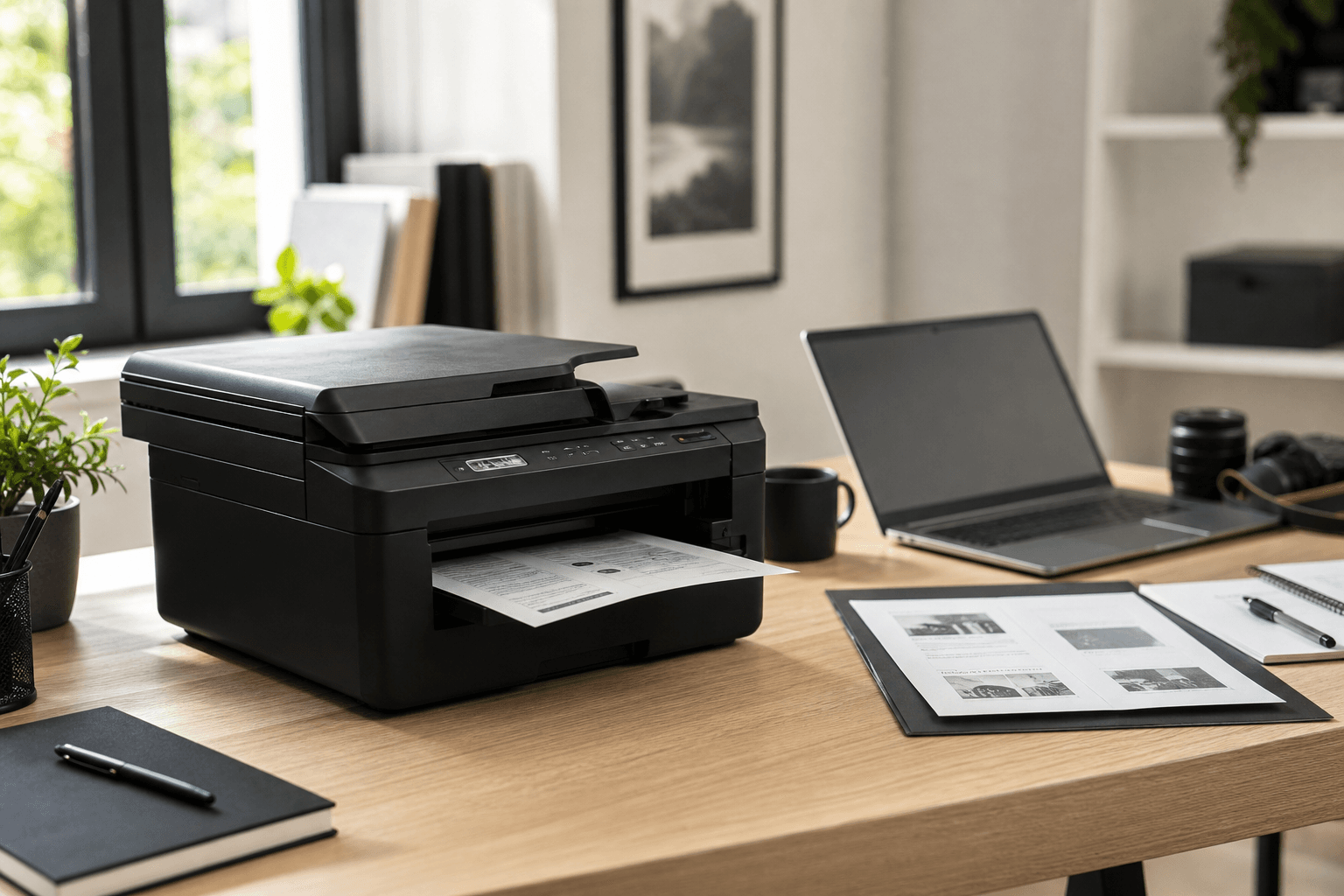
Best Printer for Home: Laser Instead of Ink That Dries Out
After more than ten years with Brother laser printers: why the DCP-L2620DW is my everyday printer — and why cheap inkjets will only annoy you. Straight talk on ink vs. laser, the ADF truth, two alternatives, and the honest limit: this is not a photo printer.
Author
Martin Kleinheinz
Photographer · Content Creator · Hannover
Updated
July 19, 2026
You need a printer for home — and you don't want to fall into the same trap again: a cheap inkjet, three months of happiness, then clogged nozzles, streaky pages, and a device that costs more to maintain than it's worth.
I made exactly this mistake for years. For more than ten years now, I've stuck with Brother laser printers — currently the DCP-L2620DW — and it changed my life, because it doesn't dry out. Here's the clear buying path from everyday experience: the problem, the technical difference, my recommendation, two alternatives, and the honest limit on photo printing.
00
Short
The 3 Best Printers for Home
If you only want one recommendation: get the Brother DCP-L2620DW. Black-and-white laser, scanning and copying, Wi-Fi, duplex — and above all: toner that doesn't dry out. That's the printer sitting in my home right now. The other two models are clear branch-offs, not a replacement for the happy path.
Top 3
Everyday · Budget · Color
**#1 DCP-L2620DW** for almost every household. **#2 HL-L2400DWE**, if you really only want to print. **#3 MFC-L3740CDWE**, if you regularly need color, ADF, and fax.
Vergleich
Brother
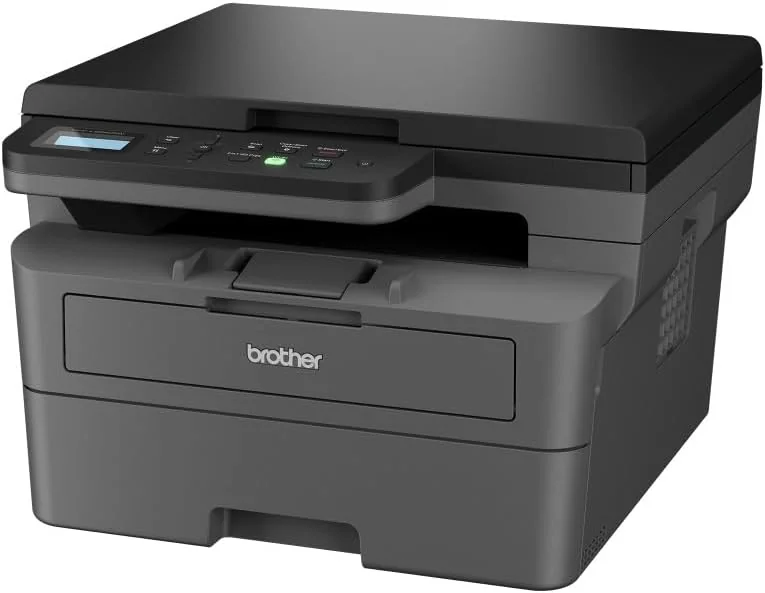
Brother DCP-L2620DW
Brother
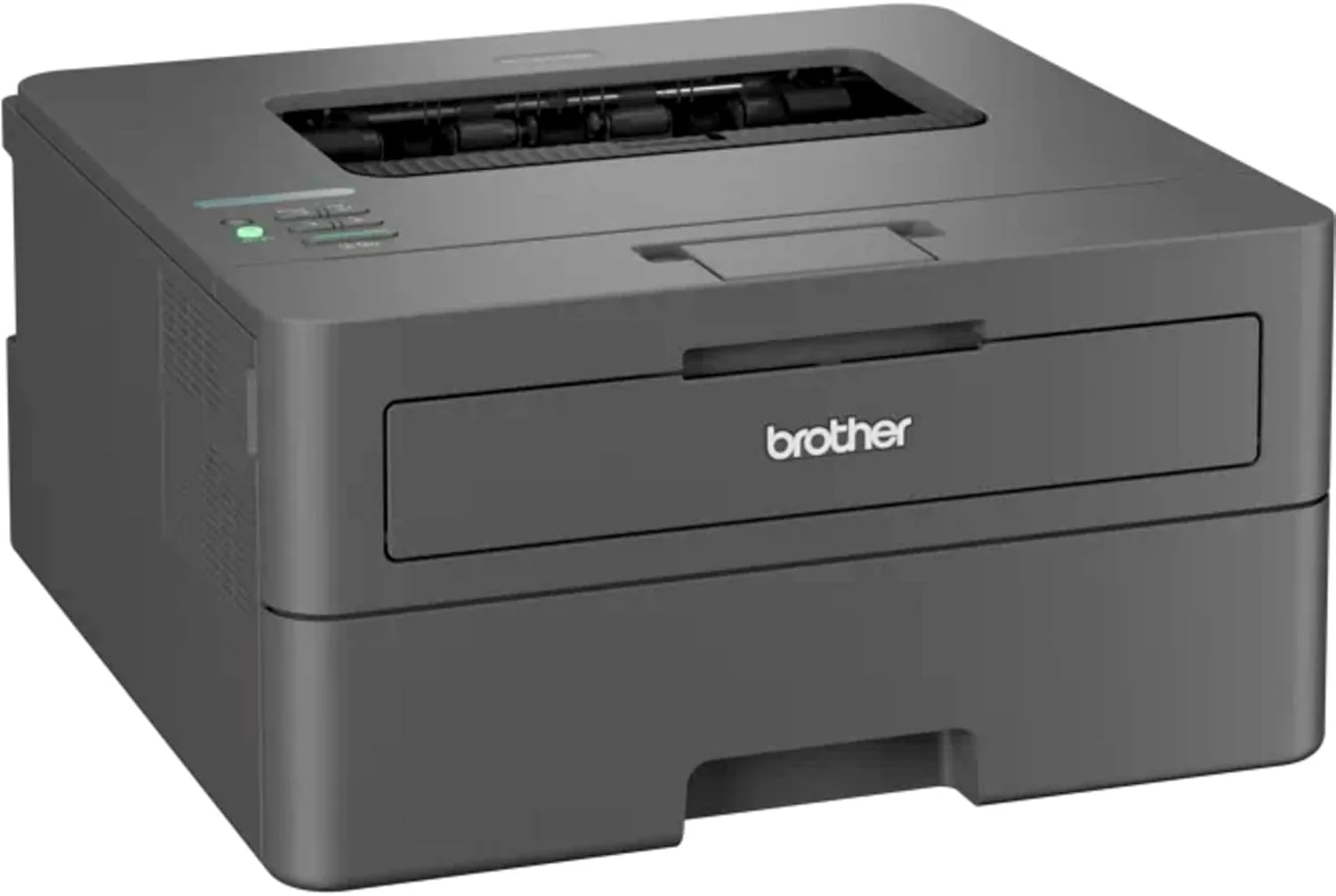
Brother HL-L2400DWE
Brother
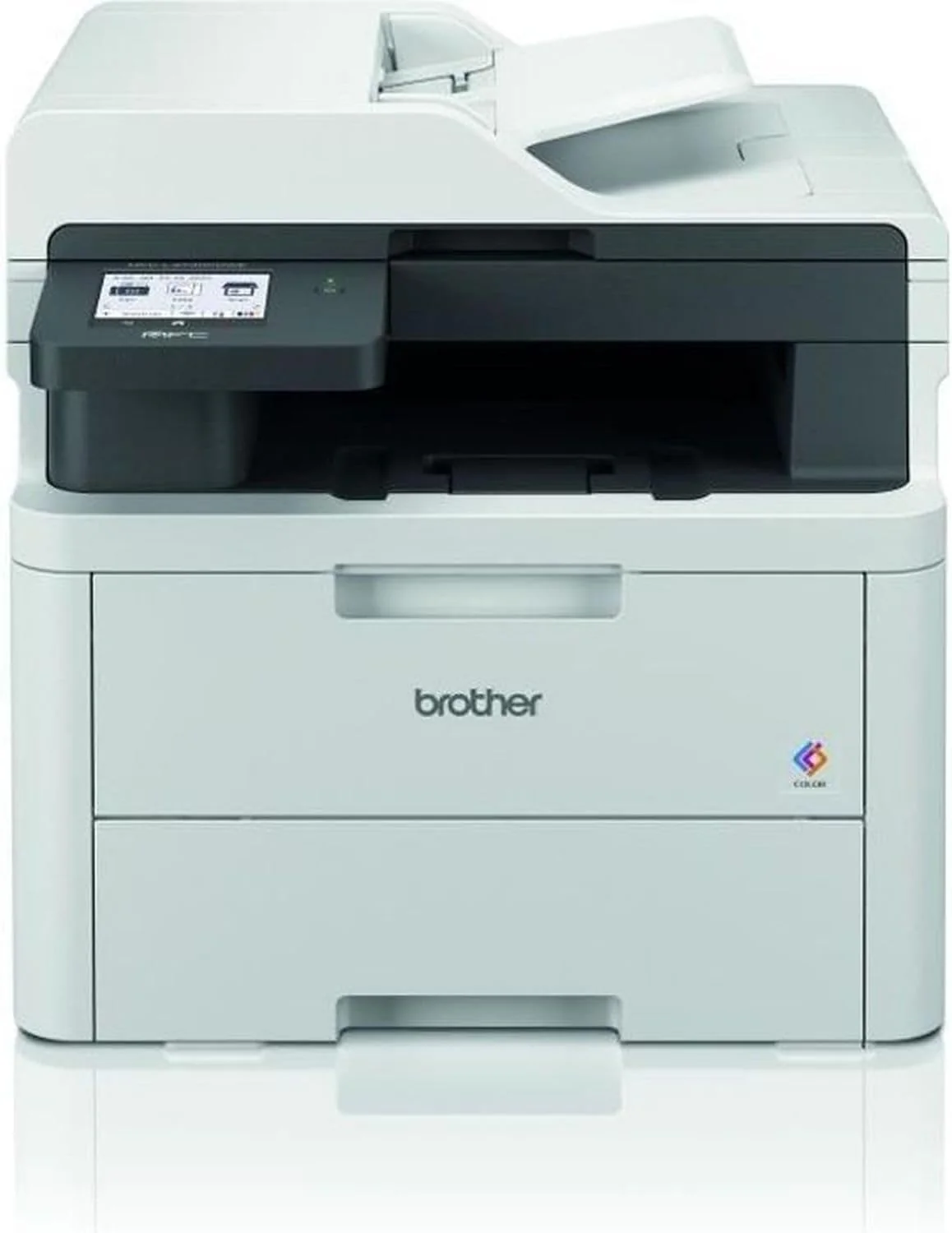
Brother MFC-L3740CDWE
Bild
Empfehlung
Top Pick
Budget
Premium Color
Sensor
Mono laser 3-in-1
Mono laser (print only)
Color LED 4-in-1
ISO-Bereich
approx. 32 pages/min.
No
Yes
Autofokus
Automatic
Toner (doesn't dry out)
Fax · LAN · Wi-Fi
Detail
Wi-Fi
USB (check Wi-Fi by variant)
$350–440
Stärken
+Toner doesn't dry out — ideal for irregular printing
+Scan + copy in the same device (flatbed is enough day to day)
+Wi-Fi and duplex noticeably practical in everyday use
+Fast enough for household and home office
+The cheapest entry into Brother laser
+Toner instead of drying-out ink
+Less device, less complexity
+Real color for documents and presentations
+ADF for stack scan and copy (unlike the DCP)
+Fax and LAN for a more demanding home office
+Still toner/LED — no drying out like with ink
Schwächen
−Black-and-white only — no color
−No ADF — scan stacks page by page
−Not a photo printer — unsuitable for portfolio/fine art
−Wrong pick if you regularly need color or stack scanning
−No scanner, no copy — a hard limit
−Only makes sense with an existing scan solution
−Less future-proof than the DCP
−Not a photo printer
−Noticeably pricier than the mono happy path
−Overkill if you barely need color
−Still not a fine-art photo printer
−Wrong pick as a "photo solution" — color LED ≠ lab print
Geeignet für
Almost every household: documents, contracts, school, scans — set it up once and get some peace. Not for photo printing.
Print only, small budget, scanner already on hand (or phone scanning is enough). Unsure? → DCP.
Regular color, stack scanning via ADF, fax/LAN in a home office — not for portfolio prints.
If you want to know why that's true — and why I've stuck with Brother laser printers for more than ten years — keep reading. The rest is a real-world experience report, not spec-sheet theater and not a lab test running ten devices side by side.
01
Experience
The Problem: Ink That Shouldn't Surprise You Twice
I used to always buy the cheap inkjet. A deal, 49 euros, "photo quality," a colorful cartridge — done. The first few weeks, everything worked. Then came the pause: vacation, low print demand, a few weeks of nothing. And suddenly the print streaked, the nozzles were clogged, the cleaning cycle ate the remaining ink — and a new set of cartridges often cost more than the printer itself.
The pattern repeated. Device broken, next bargain, same thing again. At some point I was annoyed enough and switched to Brother laser printers. I've stuck with it for more than ten years — first older mono lasers from the same family, today the Brother DCP-L2620DW. No manufacturer sponsorship, no parallel test lab: just the printer I actually use every month.
“The printer changed my life, because it doesn't dry out.”
— Martin Kleinheinz
With laser, everyday life is unspectacular — and that's exactly what I want. In concrete terms for me: invoices and contracts for shoots, model releases, packing lists before trips, school worksheets, scanning tax documents, occasionally a working copy of an ID. Sometimes three pages in a week, sometimes nothing for two weeks — and still clean text, no prior "cleaning dance." Toner is powder. Powder doesn't dry out. That sounds trivial, but it solves the actual problem at home: you print irregularly — and still need reliability.
As a photographer, I notice this especially: camera and photography equipment get my attention — just like photo editing does. The printer is supposed to work in the background — not die right before a client appointment because the last nozzle cleaning ate up the cartridges. That's exactly why I stay in the Brother ecosystem: toner, drivers, spare parts — I know the process and don't have to relearn it every year.
So you're not just taking my word for it: next up is the clear technical difference — why ink dries out and toner doesn't.
02
Basics
Ink vs. Laser: What Actually Matters
Before you choose a model, you need clarity on the basics. Inkjet and laser solve different tasks — and marketing copy loves to blur that line. Here's the physics in plain language:
Inkjet: Tiny nozzles spray liquid ink onto the paper. The nozzles are extremely fine — leave them idle for weeks, and the solvent evaporates, the ink thickens or clogs. The self-cleaning cycle then pumps fresh ink through the nozzles — and that's exactly what's missing from your cartridge later. Laser / toner: Finely ground plastic powder lands on the drum and gets fused into the paper with heat (fusing). Powder doesn't evaporate. That's why a laser "sleeps" through weeks without use — and afterward often prints like it's the first day.
Criterion
Inkjet
Laser (Toner)
Technology
Liquid ink through micro-nozzles
Toner powder, heat-fused (fixed)
During pauses
Nozzles can dry out / clog
Toner doesn't dry out
Everyday cost
Often expensive cartridges, cleaning wastes ink
Toner lasts long, cheap per page
Speed
Often slower on text
Fast — e.g. around 32 pages/min.
Photo quality
Better with good photo printers
Not the solution for portfolio/fine art
Documents / contracts
Works, but unreliable with infrequent printing
Built exactly for this
Simplified for the household — as of July 2026
That's why a laser often feels like day one again after months of not being used — not because Brother sells magic, but because the medium (powder instead of liquid) changes the failure pattern. That's the core truth I've had confirmed again and again at home for more than ten years.
In the store, the inkjet looks cheap and the laser looks pricier. Calculate two to three years of real household printing — plus the moments where you buy a replacement because of clogged nozzles — and the laser wins clearly in most cases. Not because of marketing. Because the failure pattern is predictable.
Everyday life beats the deal
You print irregularly at home. That's exactly when ink fails — and laser stays calm.
Text & speed
Contracts, forms, school: crisp black-and-white text and about 32 pages/min. on the DCP — you're not waiting on every page.
Photo quality — short and honest
A good inkjet can print photos more beautifully. But that's not the printer you need for invoices. Photo printing gets its own clear section further down — and this article doesn't sell you a mono laser as a photo solution.
If laser is the right technology, the model question remains. For me, the answer has been clear for years — and I deliberately stick with Brother instead of switching brands every two years.
03
Happy Path
My Recommendation: Brother DCP-L2620DW
The Brother DCP-L2620DW is the printer I recommend for most households — and the one I use myself. Mono laser, 3-in-1 (print, scan, copy), about 32 pages/min., automatic duplex printing, Wi-Fi. Price-wise, you typically land around $175–240, depending on the deal. I don't recommend it because it "does everything," but because it does exactly what matters long-term at home.
What it covers day to day: invoices, contracts, forms, school worksheets, work documents, copies of your ID, scans for taxes. Black-and-white covers 95% of those cases. You need color at home less often than you think — and if you do, the next section covers the premium branch-off. What it deliberately doesn't cover: portfolio prints, fine art, client prints with real color demands.
Print / Scan / Copy
One device for your desk. You skip the separate scanner for everyday use.
Duplex
Two-sided printing saves paper and instantly looks more professional on longer documents.
Wi-Fi
Print from your laptop or phone without cable chaos on the desk — standard for me since it joined the network.
Flatbed scanner
Scanning and copying happen over the glass. No ADF — even though some shop listings claim otherwise. The "document feeder" spec on this model is often wrong.
For me, that's not a dealbreaker. I rarely scan ten pages in a row — more like one invoice, one contract, one school worksheet. One page on the glass, lid down, done. What matters: the printer sits there and works — after a week, after a month, after vacation. That's exactly what I expect after ten years of Brother laser: boredom instead of drama.
Setup for me: unbox, load paper, power, Wi-Fi via the Brother app or the assistant on the computer, test page — done. After that, it lives on the network. No weekly "print something so it doesn't dry out" ritual. You can drop that old inkjet reflex.
Top Pick
Brother
Brother DCP-L2620DW
My everyday printer — toner that doesn't dry out
Mono laser 3-in-1 (print, scan, copy) with Wi-Fi and automatic duplex. About 32 pages/min. — built for invoices, contracts, and school. Flatbed scanner without ADF (shop listings often get this wrong). The printer I use myself at home — the happy path after more than ten years of Brother laser. Not a photo printer.
Was überzeugt
+Toner doesn't dry out — ideal for irregular printing
+Scan + copy in the same device (flatbed is enough day to day)
+Wi-Fi and duplex noticeably practical in everyday use
+Fast enough for household and home office
Was Du wissen solltest
−Black-and-white only — no color
−No ADF — scan stacks page by page
−Not a photo printer — unsuitable for portfolio/fine art
−Wrong pick if you regularly need color or stack scanning
Doesn't the DCP fit your setup? Then there are exactly two sensible branch-offs — both stay in the Brother ecosystem (mono laser or color LED). Why? Because I don't want to relearn driver, toner, and spare-parts logic every two years. No relapse into the inkjet trap.
04
Branch-Offs
Two Alternatives — and When You Pick Them
Not everyone needs the same feature set. Here are the clear "when to choose" cases — and just as clearly: when you should skip the pricier or cheaper device. All three stay Brother, so toner, software, and spare-parts logic line up.
Budget: Brother HL-L2400DWE — Print Only
The Brother HL-L2400DWE is the lean solution if you really only want to print — no scan, no copy. Often in the $100–130 range. Same philosophy: mono laser, toner, reliability. Less device, less money, fewer features. Plenty for many single households or people who already scan on their phone — as long as you're honest with yourself and won't want to buy a scanner in three months anyway. I don't use it as my main device myself, because scan/copy are part of my everyday routine — but as a budget branch-off in the same ecosystem, it's a clean choice.
Choose it when…
You already have a scanner (or scan on your phone), only need black-and-white documents, and want to keep the budget tight.
Don't choose it when…
You want to occasionally copy or scan — or you're unsure. Then the DCP-L2620DW gets you the better overall package and saves you buying a second device later. "Maybe I'll need scanning after all" is a clear no to the HL.
Budget
Brother
Brother HL-L2400DWE
Budget laser — print only, same toner logic
Compact mono laser without scan and copy. The same Brother toner reliability for anyone who really just wants to print pages and keep the budget small. Typically around $100–130 — a lean branch-off in the ecosystem, not a replacement for the 3-in-1 happy path. Skip it if scan/copy might come up "eventually."
Was überzeugt
+The cheapest entry into Brother laser
+Toner instead of drying-out ink
+Less device, less complexity
Was Du wissen solltest
−No scanner, no copy — a hard limit
−Only makes sense with an existing scan solution
−Less future-proof than the DCP
−Not a photo printer
Editor's Statement
“Only choose this if scan and copy really aren't needed”
The Brother MFC-L3740CDWE is the color solution in the Brother ecosystem: color LED, 4-in-1, ADF, fax, LAN — typically around $350–440. That's not "a slightly pricier everyday printer" — it's the choice when color and stack scanning are part of your routine. The ADF alone can justify the premium if you regularly need to digitize multi-page documents — on the DCP's flatbed, you'd do that page by page. Same caveat here: color LED is strong for colored documents — not for fine-art photo printing.
Choose it when…
You regularly need colored documents, presentations, or worksheets, want to scan stacks via the ADF, or seriously use fax/LAN in a home office.
Don't choose it when…
You need color "maybe someday" or just one colorful page a quarter. Then you're paying for features you barely use — and the DCP-L2620DW stays the smarter everyday choice. Also skip it if you're actually looking for a photo printer.
Premium Color
Brother
Brother MFC-L3740CDWE
Color & ADF — only if you really need both
Color LED 4-in-1 with automatic document feeder, fax, and LAN. For households and home offices that regularly need color and stack scanning. Typically around $350–440 — a deliberate premium branch-off in the Brother ecosystem, not a requirement to get started. Color for documents — still not a fine-art photo printer.
Was überzeugt
+Real color for documents and presentations
+ADF for stack scan and copy (unlike the DCP)
+Fax and LAN for a more demanding home office
+Still toner/LED — no drying out like with ink
Was Du wissen solltest
−Noticeably pricier than the mono happy path
−Overkill if you barely need color
−Still not a fine-art photo printer
−Wrong pick as a "photo solution" — color LED ≠ lab print
Editor's Statement
“Only choose this if color and ADF are truly part of your routine”
For a quick decision — the same three devices, one row per model:
Model
Type
Features
ADF
Network
Price approx.
Ideal for…
DCP-L2620DW
Mono laser
Print / Scan / Copy
No (flatbed)
Wi-Fi
$175–240
Standard household
HL-L2400DWE
Mono laser
Print only
—
USB (check Wi-Fi by variant)
$100–130
Printing only, budget
MFC-L3740CDWE
Color LED
4-in-1 + fax
Yes
Wi-Fi + LAN
$350–440
Color & home office
As of July 2026 — check prices and specs at the store
Read left to right: Need scan/copy? → HL is out. Need color and ADF regularly? → MFC. Otherwise: DCP-L2620DW — and you're done.
Before you buy, one more reality check for anyone landing here from the photography side:
06
Honest
Photo Printing: What This Printer Isn't
Quick reality check — and I'm saying this deliberately on a photography site: the Brother DCP-L2620DW is not a photo printer. It's a tool for the paperwork around the job — contracts, invoices, model releases, packing lists, tax documents. If you're expecting a "photo laser" here, you're in the wrong article.
For portfolio work, client prints, and fine art, you belong at a photo lab or a dedicated inkjet with pigment ink and a calibrated monitor. Different job, different demands on color space, paper, and consistency. Misusing a mono laser for that won't get you anywhere. Even the color MFC below doesn't replace a properly profiled photo-print workflow.
At Home With Laser
Documents, contracts, school, admin, quick copies and scans. That's exactly where Brother is strong — and exactly how I use it.
Portfolio & Fine Art
Lab or specialized photo printer. Color, paper choice, and profiling matter — not the cheap multifunction box, and not "some kind of color" from the color LED, either.
Travel & On the Go
The home printer stays home. For camera and gear on the road, the camera backpack test helps more — not another multifunction device in your carry-on.
07
Verdict
Buy the Right Printer — and Get Some Peace
The best printer for home isn't the one with the flashiest brochure. It's the one that still prints after your vacation. After more than ten years of Brother laser — and with the DCP-L2620DW as my current everyday device — my answer is clear: exactly this model for the typical household.
Budget and printing only? HL-L2400DWE. Regular color, ADF, and fax? MFC-L3740CDWE. For portfolio prints: a lab or a real photo printer — not this article as an excuse for the wrong purchase. And if none of the three fits you: better not to buy than to settle for the wrong compromise.
My call to action is deliberately simple: get the DCP-L2620DW, set it up once — and forget the problem. No cartridge roulette, no cleaning drama. Decide once, set it up, done. If you want to keep working through the rest of your setup list afterward: the Photography Blog has the matching gear guides — from the camera for beginners to your desk.
08
FAQ
Common Questions About the Best Printer for Home
Which is the best printer for home in 2026?+
For most households — and for me personally after more than ten years of Brother laser printers: Brother DCP-L2620DW — mono laser with scan, copy, Wi-Fi, and duplex. Reliable, fast enough, and no ink drying out. Budget, print-only: HL-L2400DWE. Color & ADF: MFC-L3740CDWE.
Why not a cheap inkjet?+
Because you print irregularly at home. Liquid ink in micro-nozzles dries out, cleaning cycles cost cartridges — and often the device becomes electronic waste right after the warranty ends. Laser with toner powder (heat-fused) sidesteps exactly that problem. I got this wrong myself for years before switching.
Can I print photos with the Brother DCP-L2620DW?+
Technically you can output images in black and white — for portfolio, fine art, or client prints, that's the wrong solution. Use a photo lab or a dedicated photo printer. The DCP is built for documents. I deliberately don't use it for image prints.
Does the DCP-L2620DW have an ADF?+
No — and that matters, because some shop listings state it incorrectly. Scanning and copying run over the flatbed, page by page. If you regularly need to scan stacks, look at the MFC-L3740CDWE with ADF. For me, the flatbed is completely sufficient day to day.
When is the HL-L2400DWE worth it?+
If you really only want to print, already have a scanner, and want to keep the budget small. Once scan or copy comes into play — or you're unsure — the DCP-L2620DW is the smarter choice. Better to buy the right device once than buy twice.
Do I really need a color printer at home?+
Often no. Invoices, contracts, school, and admin run in black and white — almost always for me. Color pays off if you need it regularly — not as a "nice to have." Then the MFC-L3740CDWE is the right Brother option. For photos, it's still the wrong device type.
How loud and big is a laser printer like this at home?+
A compact laser like the DCP-L2620DW fits on a desk or a shelf — mine sits unobtrusively in daily life. While printing, you'll hear it (heat/fusing); in standby, it's quiet. Completely fine for a typical home desk — no office monster.
Why stick with Brother instead of mixing brands?+
Because I don't want to relearn driver, toner, and spare-parts logic every two years. After more than ten years, I know the ecosystem. That's pragmatism, not brand loyalty — and no sponsorship involved.
Affiliate links marked with * — Amazon product links use partner ID martinkleinhe-20. I earn a small commission if you buy through these links; there's no extra cost to you. The recommendation is based on hands-on use — Brother didn't sponsor anything here.
◆ Newsletter
Stay in the loop.
Camera and photography news, honest gear tests and new articles — in your inbox. Infrequent but relevant. No spam, unsubscribe anytime.