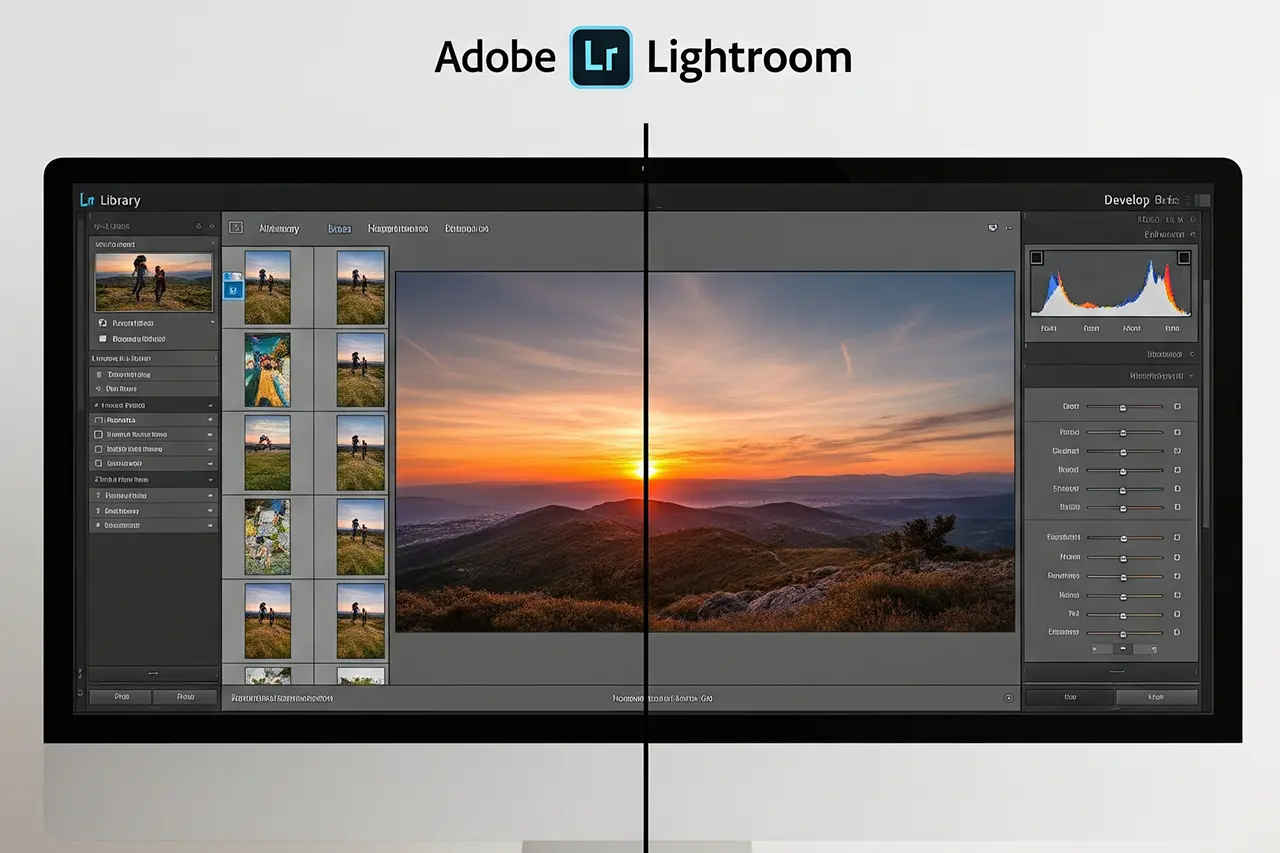
Plugins for Lightroom and Photoshop explained: how they work, how to install them and the 10 best plugins of 2026. Topaz Photo, DxO PureRAW 5, Luminar Neo — with honest, practical recommendations for beginners, advanced users and pros.
Author
Martin Kleinheinz
Photographer · Hannover
Updated
May 25, 2026
You know the feeling: you sit in front of an image in Lightroom or Photoshop, you know exactly what you want to achieve — but the built-in tools won't get you there. The noise at ISO 6400 is too strong, the sharpness isn't enough for the planned large print, or you need a specific look that's painful to create with the standard tools. That's where plugins come in — little marvels of software engineering that turn good programs into great ones.
Plugins are extensions that integrate seamlessly into your familiar Lightroom or Photoshop environment and add specialized features. They work with your RAW files, understand your metadata and slot perfectly into your existing workflow. The best part: you don't have to learn a new piece of software — you simply expand what your familiar apps can do.
2026 is the year of AI-powered plugins. What used to take hours of manual work — masking hair, removing noise at extreme ISO values or upscaling images losslessly — modern plugins finish in seconds. And the quality they achieve would be hard to match with manual techniques.
In this guide I'll explain not only how plugins work and how to install them, but also introduce the 10 most important plugins that should not be missing from a professional workflow in 2026. You'll learn which plugins suit which tasks, what they cost, and how to integrate them optimally into your workflow.
00
Quick Recommendation
Three Plugins, Three Clear Jobs
If you only have 30 seconds, here are my three top plugin picks for 2026 — each solves a specific task better than any other solution on the market:
Topaz Photo
The AI all-rounder at $199 (successor to Topaz Photo AI). Combines denoising, sharpening and upscaling in a single application. ISO 6400 images look like ISO 800 after processing; out-of-focus shots become crystal clear. My must-have plugin for anyone shooting in low light or working with older images.
DxO PureRAW 5
The quality leader at $129. Uses a huge camera-lens database for automatic optical corrections plus DeepPRIME XD3 denoising. If you want an uncompromising RAW pipeline, you can't avoid DxO.
Luminar Neo
The creative specialist from $99/year. Sky AI, Portrait Tools and Generative AI make spectacular looks possible in a few clicks. Available as a plugin for Lightroom Classic and Photoshop — ideal if you want creative looks without complex masking.
Which plugin fits you best depends on what you struggle with daily — noise, optical flaws or missing creative tools. The following sections cover the basics, compare the top 10 in detail and show how to integrate plugins efficiently into your Lightroom or Photoshop workflow.
◆ Lightroom PresetsBundle
Photos with film character
9 Lightroom presets inspired by Portra, Kodak, Fuji & Ilford — for street, portrait and landscape. One-time €29, no subscription.
Plugins are small software programs that integrate into existing applications and extend their functionality. In Lightroom and Photoshop they use dedicated interfaces (APIs) to access and process your images.
Lightroom plugins: export and library extensions
Lightroom distinguishes between two plugin types: export plugins and library plugins. Export plugins hook into the export process and can modify your images during export. That is especially handy because Lightroom prepares the images at the desired resolution and quality and then hands them off to the plugin.
Library plugins extend the management features. They can analyze metadata, auto-tag images or help with organization. One example is Excire Search, which analyzes your images with AI and provides an intelligent search function.
Photoshop plugins: filters and standalone panels
Photoshop plugins use the filter API or integrate as standalone panels. Filter plugins appear in the Filter menu and operate on the current layer. Panel plugins open their own UI and often offer more complex functionality.
The big advantage of Photoshop plugins: they work layer-based and support masks. You can apply plugin effects selectively, combine them with layer modes or adjust opacity. That gives you maximum creative control.
Installation and activation
Most modern plugins install automatically via an installer. It detects your Adobe applications and copies the necessary files into the right directories. After restarting Lightroom or Photoshop, the plugins are available.
For manual installation you must copy the plugin files into specific folders:
After intensive testing and analysis of more than 50 plugins, I've selected the 10 most important for 2026. The selection is based on feature set, image quality, usability and value for money.
Plugin
Main feature
Price
Use
Rating
Topaz Photo
AI denoise, sharpen, upscale
$199
Lightroom/Photoshop
★★★★★
DxO PureRAW 5
Premium RAW processing
$129
Lightroom/Photoshop
★★★★★
Luminar Neo
AI editing & creative effects
$99/year
Lightroom/Photoshop
★★★★
Nik Collection
8 creative plugins
$149
Lightroom/Photoshop
★★★★
ON1 Effects 2026
Effects & presets
$99
Lightroom/Photoshop
★★★★
The 5 most important plugins of 2026 — places 6–10 follow below.
1. Topaz Photo: the AI all-rounder ($199)
Topaz Photo (since late 2025 the successor to "Topaz Photo AI") is the plugin that outshines all other AI tools in 2026. It combines three specialized functions in one application: denoising, sharpening and upscaling. What used to require three separate programs now happens in a single UI — with much faster performance on Apple Silicon and NVIDIA RTX.
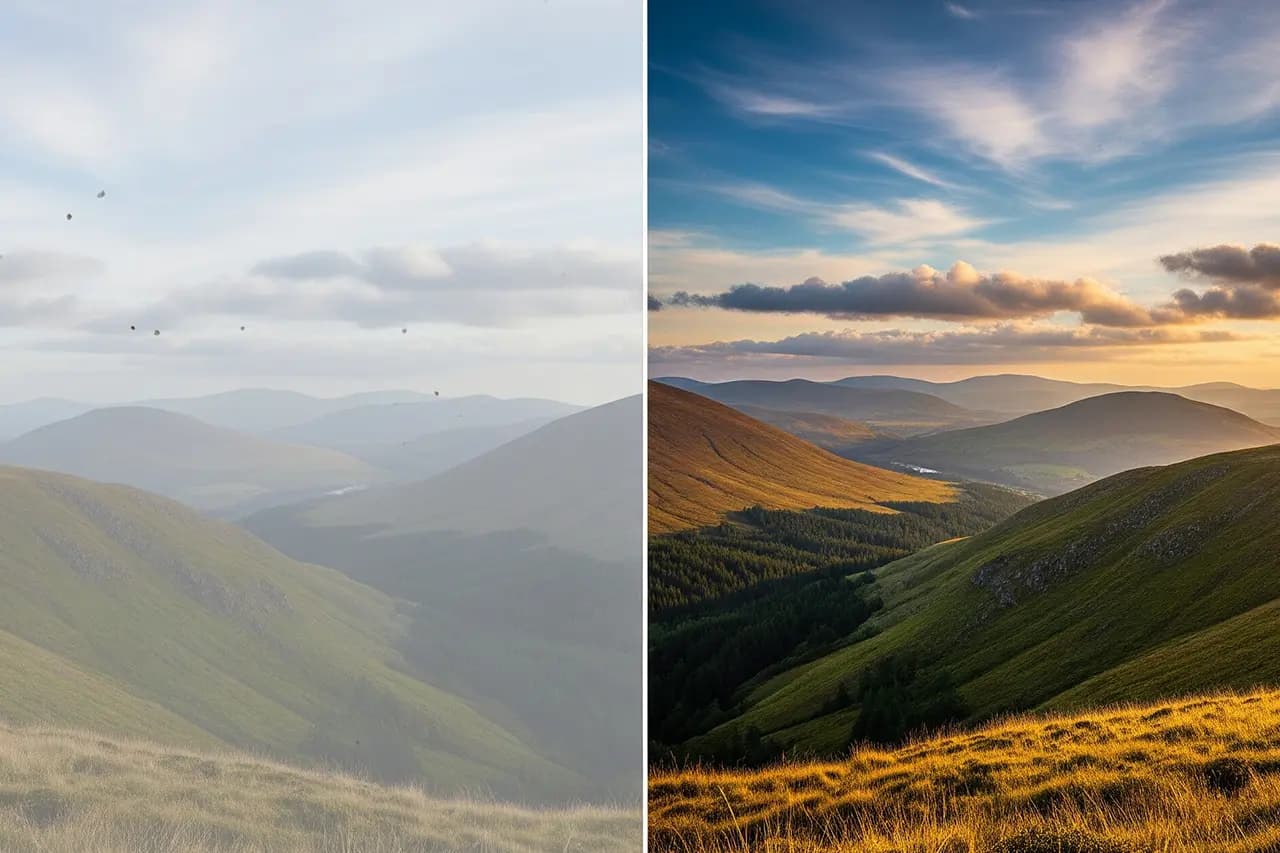
The results are impressive: ISO 6400 shots look like ISO 800 after processing, blurred images become crystal clear and small files can be losslessly upscaled to poster size. The AI analyzes each image area individually and applies the optimal algorithms.
Main features:
◆AI noise reduction: up to 4 stops of effective ISO improvement.
◆Intelligent sharpening: corrects motion blur and focus errors.
◆Upscaling: up to 600% without visible quality loss.
◆Raw DNG export: editing stays in the RAW pipeline.
2. DxO PureRAW 5: the quality leader ($129)
DxO PureRAW 5 is the undisputed quality leader for RAW processing. The plugin draws on DxO's decades of expertise in optical correction and the improved DeepPRIME XD3 model for even cleaner shadows and finer detail. It corrects not only noise but also the optical flaws of your lenses.
What makes it special: DxO knows thousands of camera-lens combinations and applies specific corrections. Vignetting, chromatic aberration and distortion are corrected automatically while noise is reduced.
Particularly strong at:
◆Low-light photography: ISO 3200 looks like ISO 800.
◆Batch processing: optimize large image sets automatically.
3. Luminar Neo: the creative specialist ($99/year)
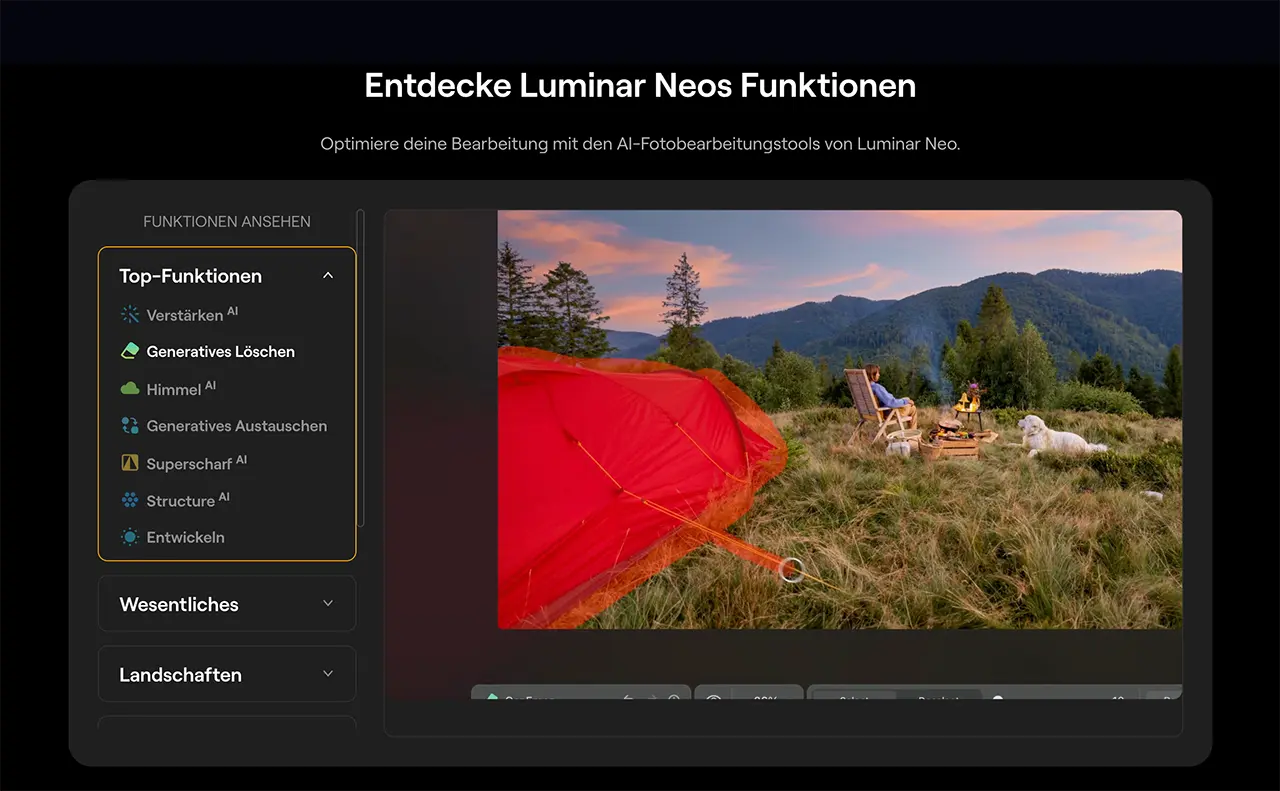
Luminar Neo from Skylum is the ultimate creative plugin for photographers who want more than technical corrections. It combines powerful AI tools with an intuitive UI and enables spectacular looks in a few clicks.
The AI features are impressive: skies can be exchanged automatically, portraits are retouched intelligently and landscapes get dramatic moods. The results look natural rather than overly digital.
Highlight features:
Sky AI
Automatic sky replacement with lighting adjustment.
Portrait Tools
Automatic skin retouch and eye enhancement.
Structure AI
Intelligent detail enhancement without over-sharpening.
Upscaler AI
Upscaling with AI enhancement.
Background Removal
Precise cut-outs via AI.
Creative Pick
Skylum
Luminar Neo
AI creative plugin for Lightroom & Photoshop
Integrates into **Lightroom Classic** and **Photoshop** as a plugin: Sky AI, Relight AI, Portrait Tools, Structure AI and Upscale AI for spectacular looks in a few clicks. Lifetime license or Pro subscription — ideal for creative portrait and landscape workflows.
The Nik Collection from DxO bundles eight specialized plugins originally developed by Google and now under continuous development. Each plugin is optimized for a specific task and delivers professional results.
The 8 plugins at a glance:
Silver Efex Pro
The best black-and-white plugin available.
Color Efex Pro
55 professional filters for color correction.
HDR Efex Pro
Natural-looking HDR processing.
Viveza
Selective adjustments without masks.
Analog Efex Pro
Vintage looks and film emulations.
Sharpener Pro
Professional sharpening for print and web.
Dfine
Precise noise reduction.
Perspective Efex
Perspective and keystone corrections.
More top picks (places 5–10)
The full top 10 includes more specialized plugins that are essential for certain use cases:
5. ON1 Effects 2026 ($99)
Over 100 professional effects and presets.
6. Luminar Neo — HDR Merge Extension
Natural HDR exposure brackets directly in Luminar Neo — successor to the discontinued Aurora HDR, included in the Pro subscription or lifetime bundle.
7. DxO FilmPack ($139)
Authentic analog film emulations.
8. Excire Search ($99)
AI-based image search for Lightroom.
9. Perfect Effects ($59)
Finishing effects for Photoshop.
10. Gigapixel AI ($99)
Specialist for AI upscaling.
Lightroom Presets9 film looks inspired by Portra, Kodak & Fuji —View pack →
03
Workflow
Plugin Integration in Your Workflow
Even the best plugins are useless if they aren't integrated sensibly into your workflow. Here's how to use plugins efficiently without slowing yourself down.
The optimal Lightroom workflow with plugins
In Lightroom, use plugins as the last step before export. Make all the basic corrections in Lightroom first — exposure, contrast, color — and then use plugins for specialized tasks.
Recommended order:
◆1. Basic corrections in Lightroom (exposure, contrast, etc.).
◆2. Local adjustments (masks, brushes).
◆3. Export to DxO PureRAW 5 (for high ISO).
◆4. Re-import and further editing.
◆5. Export to creative plugins (Luminar Neo, Nik Collection).
◆6. Final export at the desired size.
Layer-based plugin use in Photoshop
In Photoshop the best practice is to use plugins on separate layers. Duplicate your background layer before applying a plugin. You can then control intensity via opacity and combine different effects.
Pro workflow:
◆Work with Smart Objects for non-destructive editing.
◆Use layer masks for selective plugin application.
◆Combine different plugin effects via blend modes.
◆Group plugin layers for better organization.
Performance optimization with plugins
Plugins are compute-intensive and need a lot of RAM. AI-based plugins like Topaz Photo in particular use GPU acceleration and can push your computer to the limit.
Hardware recommendations for plugin use:
RAM
At least 32 GB, better 64 GB for 4K+ images.
GPU
Modern GPU with at least 8 GB VRAM for AI plugins.
Cost-Benefit Analysis: Which Plugins Really Pay Off?
Approach plugin investments strategically. Not every photographer needs every plugin. Here's my honest assessment of which plugins pay off for which use cases.
For beginners: the essential 2 plugins
As a beginner you should start with two plugins: Topaz Photo ($199) and DxO PureRAW 5 ($129). Together they cover the most important technical corrections and save you hours of manual work.
Topaz Photo solves all problems with noise, blur and small images. DxO PureRAW 5 makes your RAW files better at a fundamental level, especially in tough lighting. For $328 you get professional image quality — a perfect starting point if you're just getting into image editing for beginners.
For advanced users: specialize by photo style
As an advanced photographer pick plugins that match your main photographic style:
Portrait photographer
Luminar Neo for skin retouching and eye enhancement.
Landscape photographer
Luminar Neo HDR Merge Extension for natural HDR looks from bracketed exposures.
Architecture photographer
Nik Collection for perspective corrections.
Wedding photographer
DxO FilmPack for romantic analog looks.
Street photographer
Silver Efex Pro for expressive black-and-white images.
Budget range: $500–800 for a complete plugin kit that lasts for years.
For pros: ROI-optimized plugin choice
As a professional photographer, calculate plugins via time saved and client satisfaction. A plugin that saves you 2 hours per job pays for itself at $100/hour after just 2 uses.
ROI champions for pros:
Topaz Photo
Enables ISO 6400+ without loss of quality.
DxO PureRAW 5
Automatic lens corrections in seconds.
Excire Search
Finds images in 100,000-image archives instantly.
Luminar Neo
Spectacular looks for social-media marketing.
05
Outlook
Plugin Trends 2026 and Beyond
The plugin market is evolving rapidly. In 2026, generative AI and cloud computing dominate, but other trends are emerging too — above all the ever closer integration of plugins into mobile devices and into the camera manufacturers' direct RAW pipelines.
The most important trends in 2026:
Generative AI in the RAW pipeline
Plugins like Topaz Photo and Luminar Neo build Generative Fill and Generative Erase functions directly into the RAW workflow — without going through Photoshop.
Cloud and edge hybrids
Heavy AI computations move to the cloud while smaller tasks run locally on Apple Silicon and NPU-accelerated hardware.
Real-time preview
Plugin effects display live in the Lightroom Develop module — without the classic round-trip export.
Automatic optimization
AI analyzes image content, ISO, camera model and genre and pre-selects the optimal plugin settings.
Subscription models
More vendors switch to monthly or annual subscriptions — often combined with an optional lifetime license for the pro version.
Mobile and tablet integration
Plugins arrive on iPad and powerful Android tablets — including native M-chip and Snapdragon X acceleration.
From my workflow
35mm & 120mm film presets
Portra, Kodak Gold, Velvia, HP5 & more — ready-made XMP presets for Lightroom Classic and mobile.
This article contains affiliate links. If you buy through these links, I receive a small commission — at no additional cost to you. Thank you for your support!
◆ Newsletter
Stay in the loop.
Camera and photography news, honest gear tests and new articles — in your inbox. Infrequent but relevant. No spam, unsubscribe anytime.